A digital camera can capture, edit, store, print, and share high-quality photos and videos with creative control.
Understanding what can a digital camera do helps you choose the right model and use it with more confidence. A modern camera is more than a tool for taking pictures. It can record video, preserve family memories, control light, connect to other devices, and support creative work. This guide explains its main features, benefits, limits, and practical uses in simple terms.
What Can a Digital Camera Do?
A digital camera captures images by using an electronic image sensor instead of film. The sensor changes light into digital data, which the camera saves as a photo file or video file.
The answer to what can a digital camera do depends on the camera type. A basic point-and-shoot model may focus on simple snapshots. A mirrorless or DSLR camera may offer interchangeable lenses, manual controls, fast shooting, and professional video features.
Most digital cameras can:
• Take still photos in bright or low light
• Record video with sound
• Focus on people, animals, or moving subjects
• Adjust brightness, color, and sharpness
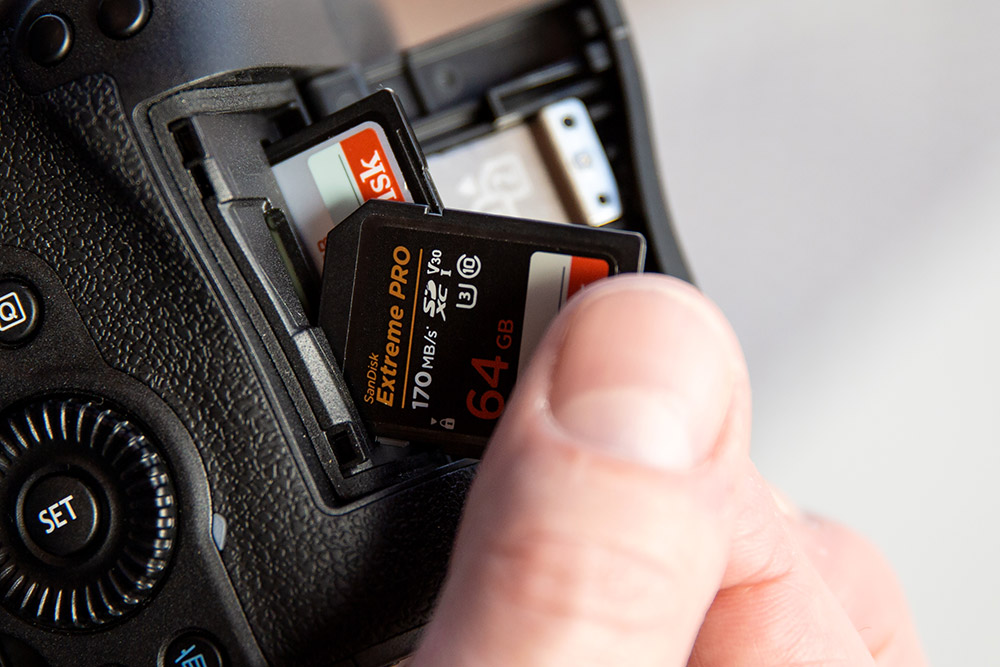
• Save images to a memory card
• Display photos on a screen
• Transfer files to a phone or computer
• Print photos or prepare them for online sharing
• Store extra information, such as the date, time, lens, and camera settings
A digital camera works much like a small computer with an optical system. The lens gathers light, the sensor records it, and the camera processor turns that data into an image.
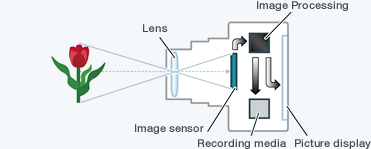
How a Digital Camera Captures an Image
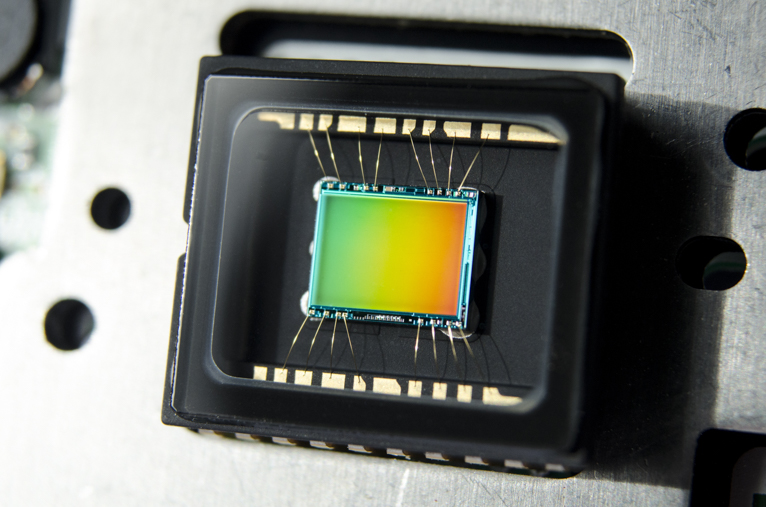
To understand what can a digital camera do, it helps to know how it creates a photo. Light enters through the lens and reaches the image sensor. The sensor contains millions of tiny light-sensitive points called pixels.
The camera measures the light at each pixel. Its processor then builds the image by combining brightness and color data. Most cameras use a color filter pattern over the sensor to help record red, green, and blue information.
Three basic settings control much of this process:
• Aperture controls how wide the lens opening is
• Shutter speed controls how long the sensor receives light
• ISO controls the sensor’s sensitivity to light
These settings form the exposure triangle. For example, a fast shutter speed can freeze a running dog. A wide aperture can blur the background behind a person. A higher ISO can brighten a dark scene, but it may add visible grain called digital noise.
Many cameras offer automatic exposure. This is useful when you need to take a photo quickly. Manual exposure gives you more control when the camera’s automatic choice does not match your creative goal.
A camera also records metadata. This may include the camera model, lens, shutter speed, aperture, ISO, focal length, and date. This information can help you learn from your photos and improve future shots.
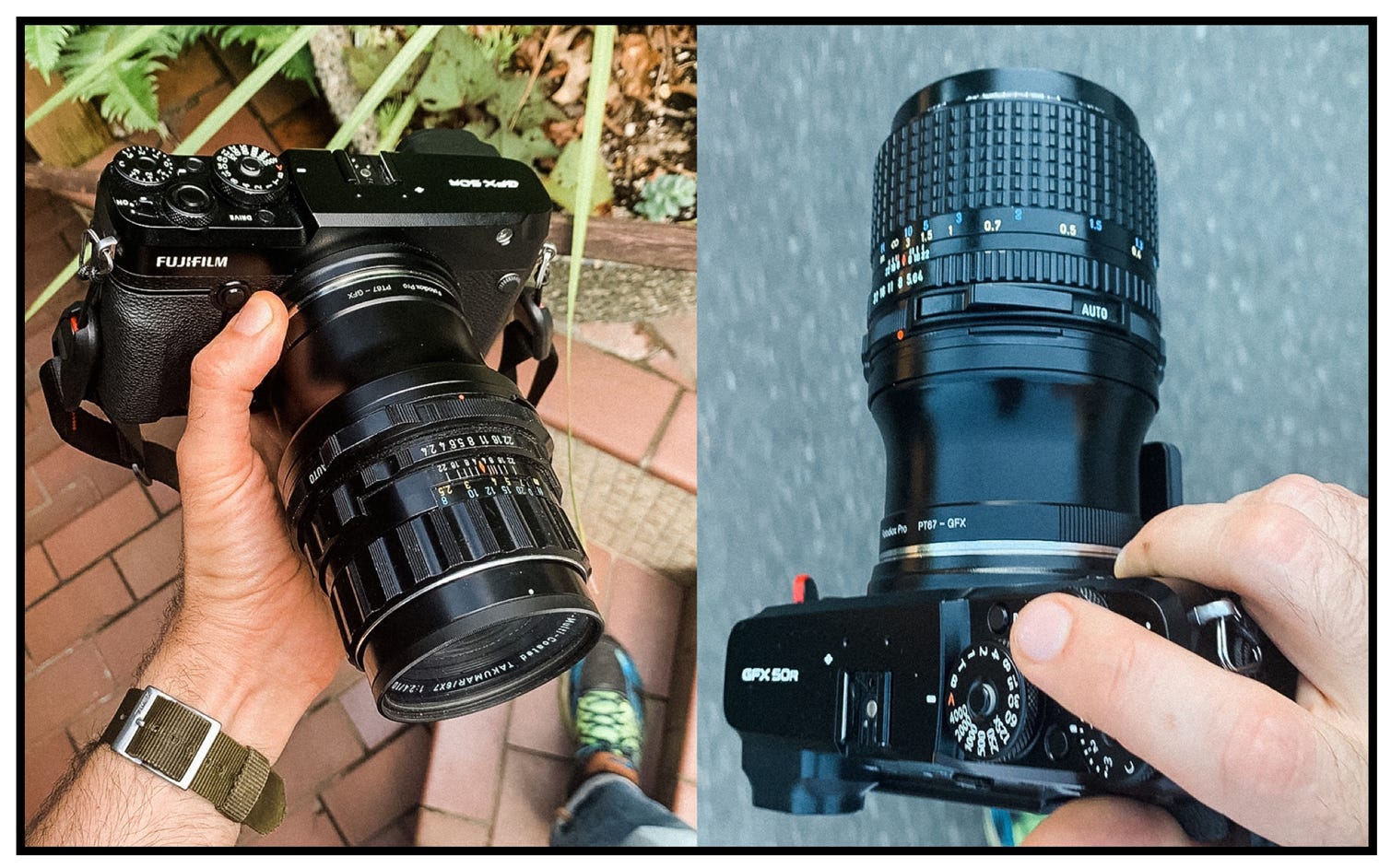
Taking High-Quality Photos
One of the main answers to what can a digital camera do is produce detailed still images. A camera can capture landscapes, portraits, sports, wildlife, food, products, events, and everyday moments.
Image quality depends on more than megapixels. The lens, sensor size, lighting, focus system, image processor, and photographer’s technique all matter. A 24-megapixel camera with a good lens can produce excellent results for prints, websites, and social media.
Digital cameras support many photo styles, including:
• Portrait photography with soft background blur
• Landscape photography with deep detail from front to back
• Macro photography for small subjects
• Sports photography with fast shutter speeds
• Wildlife photography with long lenses
• Street photography with compact equipment
• Product photography for online stores
• Night photography with long exposures
A larger sensor often performs better in low light and gives more control over background blur. However, larger cameras and lenses can cost more and weigh more. The best choice depends on your needs, budget, and willingness to carry the equipment.
A common mistake is to chase resolution while ignoring technique. A steady camera, good light, accurate focus, and thoughtful composition often matter more than having the highest megapixel count.
Recording Video and Audio
Modern digital cameras can do much more than take still photos. Many models record high-definition, 4K, or higher-resolution video. Some include features such as slow motion, time-lapse recording, face detection, and subject tracking.
Video quality depends on several factors:
• Resolution affects the amount of visible detail
• Frame rate affects motion and slow-motion options
• Bit rate affects how much data the video stores
• Autofocus affects subject sharpness
• Stabilization reduces camera shake
• Microphone quality affects sound clarity
A camera may record video at 24, 30, 60, or more frames per second. A higher frame rate can make motion look smoother. It can also allow slow-motion playback when edited on a compatible device.
Built-in microphones work well for quick clips, but an external microphone usually produces clearer speech. Wind, room echo, and background noise can reduce audio quality even when the video looks sharp.
For serious video work, check whether the camera offers a microphone input, headphone output, clean HDMI output, useful autofocus, and a screen that tilts or rotates. These features can make filming much easier.
Controlling Light and Creative Style
What can a digital camera do for creative photography? It can help you shape light and control the mood of an image.
Most cameras include shooting modes such as:
• Program mode for quick control with automatic exposure
• Aperture priority for managing background blur
• Shutter priority for controlling motion
• Manual mode for full exposure control
• Portrait mode for people
• Landscape mode for scenes with broad detail
• Night mode for darker settings
• Sports mode for fast action
Many digital cameras also include white balance controls. White balance helps make white objects look white under different light sources. Indoor bulbs may look warm, while shade may look blue. Automatic white balance often works well, but manual settings can produce more consistent color.
Picture profiles and creative filters can change contrast, saturation, sharpness, or color. Some cameras also offer flat profiles for video. These preserve more editing flexibility but may look dull before correction.
A useful lesson for new photographers is to change one setting at a time. If you adjust aperture, shutter speed, and ISO all at once, it becomes harder to understand the result.

Focusing on People, Animals, and Action
Another important part of what can a digital camera do is identify and track subjects. Many current cameras use autofocus systems with face detection and eye detection.
A camera may recognize:
• Human faces and eyes
• Animal eyes
• Birds and other wildlife
• Cars, motorcycles, and aircraft
• Moving subjects in sports
Subject detection does not guarantee a perfect photo. The camera may focus on the wrong object when several subjects overlap. Low light, fast movement, and poor contrast can also reduce autofocus accuracy.
For moving subjects, use continuous autofocus when available. This allows the camera to adjust focus as the subject changes distance. A fast shutter speed can help freeze movement, while burst shooting lets the camera capture several frames in quick succession.
Burst mode is helpful for sports and wildlife, but it fills memory cards faster and creates more files to sort. It is better to use it with purpose rather than hold the shutter button for every scene.

Saving, Editing, and Sharing Images
Digital cameras save photos and videos as files. Common photo formats include JPEG and RAW.
JPEG files are processed inside the camera. They are smaller, easy to view, and ready to share. RAW files contain more original sensor data and offer greater control during editing. However, RAW files are larger and usually require editing software.
A camera can support a simple workflow:
-
Capture the photo.
-
Review it on the camera screen.
-
Transfer it to a computer, tablet, or phone.
-
Back up the original file.
-
Edit color, brightness, crop, and sharpness.
-
Export a copy for printing or sharing.
Some cameras transfer files through Wi-Fi, Bluetooth, USB, or a companion app. Wireless transfer is convenient, but a wired connection may be faster for large video files.
Always keep at least one backup. Memory cards can fail, and devices can be lost or damaged. A practical backup plan includes a computer copy and a separate cloud or external drive copy.
Printing and Creating Physical Memories
What can a digital camera do with your finished images? It can help you create physical prints, photo books, greeting cards, wall art, calendars, and other products.
A photo for a small print does not need the same file size as a large wall display. Before printing, check the image resolution, crop ratio, color profile, and paper type. A photo may look different on a bright screen than on paper.
For important prints:
• Use the highest-quality original file
• Avoid sending a compressed social media copy
• Check the crop before ordering
• Use a reputable print service
• View a proof when possible
• Keep the original file after editing
Digital photography can feel temporary because images often stay on phones and memory cards. Printing a few meaningful photos gives them a longer life. A family photo on a wall can matter more than hundreds of forgotten files.
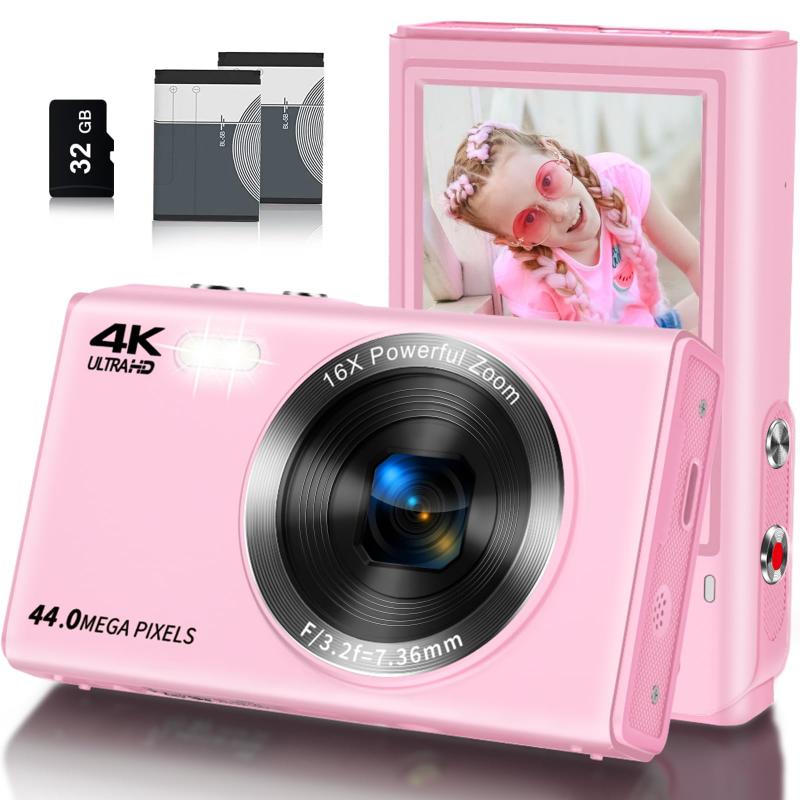
Connecting to Phones, Computers, and Other Devices
Many digital cameras can connect to other devices. This makes it easier to move, view, edit, and share photos.
Common connection options include:
• USB for file transfer and charging
• Wi-Fi for wireless sharing
• Bluetooth for low-power connections
• HDMI for viewing video on a display
• Webcam mode for online meetings and live streams
Some cameras can serve as webcams through USB or HDMI capture equipment. This can improve image quality for teaching, streaming, interviews, and video calls.
Wireless features are useful, but they may drain the battery. They may also work slowly when transferring large RAW files or long videos. For large projects, use a card reader or direct USB connection.
Keep camera firmware updated when the maker provides a trusted update. Firmware can improve performance, fix errors, or add support for accessories. Read the instructions carefully and make sure the battery is charged before updating.
Benefits of Using a Digital Camera
Understanding what can a digital camera do also means looking at why people still use dedicated cameras when smartphones are so capable.
A digital camera may offer these benefits:
• Better control over exposure and focus
• Interchangeable lenses on many models
• More comfortable physical controls
• Stronger performance in difficult light
• Better handling for long photography sessions
• Larger files for cropping and printing
• Faster shooting for sports and wildlife
• More control over depth of field
• Improved audio and video options on advanced models
A smartphone is often the best camera because it is already with you. A dedicated camera becomes more useful when you need a certain lens, stronger zoom, longer battery life, improved ergonomics, or more creative control.
The right tool is the one that helps you take the photo you want. A professional camera does not automatically create professional results. Skill, timing, light, and subject awareness still play major roles.
Limitations of Digital Cameras
Digital cameras are powerful, but they have limits. Knowing these limits helps you avoid frustration and make a better purchase.
Common limitations include:
• Batteries can run out during long shoots
• Memory cards can become full or fail
• Small camera screens may hide focus errors
• Autofocus can struggle in darkness or heavy clutter
• High ISO settings can create digital noise
• Large lenses can be expensive and heavy
• RAW files require more storage and editing time
• Wireless transfer can be slow
• Weather sealing does not always mean waterproofing
• Advanced features may take time to learn
Lens choice is another major limit. A camera with a fixed lens may be small and simple, but it cannot offer the same flexibility as a system with interchangeable lenses. A camera body alone does not determine the full experience.
Protect your equipment from heat, moisture, dust, and sudden temperature changes. When moving from a cold place into a warm room, let the camera warm slowly inside a bag. This can reduce condensation risk.
Practical Tips for Better Results
If you are learning what can a digital camera do, practice with simple tasks instead of trying every feature at once.
Try this approach:
-
Learn how to change aperture, shutter speed, and ISO.
-
Practice focusing on a still object.
-
Photograph the same subject in morning, afternoon, and evening light.
-
Try a slow shutter speed with the camera on a tripod.
-
Use a fast shutter speed to freeze motion.
-
Compare JPEG and RAW files if your camera supports both.
-
Review images at full size to check focus.
-
Back up your best photos after every important shoot.
A useful real-world lesson is to check the background before pressing the shutter. Distracting signs, bright spots, and objects that appear to grow from a person’s head can weaken an otherwise good photo.
Another lesson is to carry a spare battery and an extra memory card. These small items can save a planned trip, event, or once-in-a-lifetime moment. Test your gear before an important event rather than learning it for the first time on that day.
Choosing the Right Digital Camera
The best answer to what can a digital camera do depends on the model. Start with your main use instead of choosing by price or megapixel count alone.
Consider these factors:
• A compact camera suits travel and simple daily photos
• A bridge camera offers a large zoom range in one body
• A mirrorless camera offers modern autofocus and a small system design
• A DSLR offers strong battery life and a large lens selection
• An action camera suits sports, travel, and rugged use
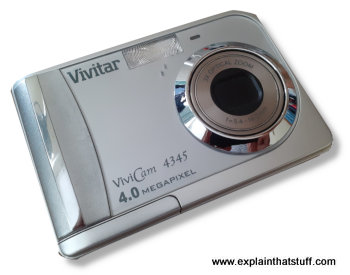
• A medium-format camera targets specialized high-resolution work
Also consider the cost of lenses, batteries, memory cards, lighting, and editing software. The camera body is often only one part of the total system.
Before buying, hold the camera if possible. Check whether the grip feels secure, the buttons are easy to reach, and the menu makes sense. A camera that feels comfortable is more likely to be used often.
Frequently Asked Questions About What Can a Digital Camera Do
Can a digital camera record video?
Yes, most modern digital cameras can record video. The available resolution, frame rate, autofocus, stabilization, and audio features depend on the model.
Can a digital camera work without a memory card?
Some cameras may take a limited number of photos using internal memory, but most need a memory card for regular use. Check the camera manual for supported card types and maximum capacity.
Can a digital camera connect to a smartphone?
Many digital cameras connect to smartphones through Wi-Fi or Bluetooth. This can allow you to transfer photos, control the camera remotely, or add location information.
Can a digital camera take photos in the dark?
A digital camera can take photos in low light, but results depend on the sensor, lens, autofocus system, and settings. A tripod, wider aperture, slower shutter speed, higher ISO, or external light can improve the result.
What is the difference between a digital camera and a smartphone camera?
A smartphone camera is compact and convenient, while a dedicated digital camera often provides larger sensors, better lenses, stronger controls, and improved handling. Modern smartphones can still produce excellent images in good light and are ideal for quick sharing.
Can a digital camera be used as a webcam?
Many newer models support webcam use through USB, while others need an HDMI capture device. Confirm compatibility with the camera maker before buying extra equipment.
Can a digital camera edit photos?
Some cameras offer basic edits, such as cropping, resizing, brightness changes, and filter effects. For detailed color correction, retouching, and file management, use photo editing software on a computer or mobile device.
Conclusion
A digital camera can capture detailed photos, record video, control exposure, track moving subjects, save metadata, connect to smart devices, and turn digital files into lasting prints. Its value comes from the mix of technology, lens choice, light, and the photographer’s decisions.
The best way to learn what can a digital camera do is to use one often. Start with basic exposure settings, practice in different light, protect your files, and build your skills one photo at a time. Explore your camera’s manual, try a small creative project, and share your results or questions in the comments.

Everett Ashford is a tech reviewer at mytechgrid.com specializing in SSDs, cameras, TVs, earbuds, headphones, and other consumer electronics. He provides honest, data-driven reviews based on hands-on testing and real-world performance analysis. Everett simplifies complex tech details to help readers make smart, confident buying decisions.