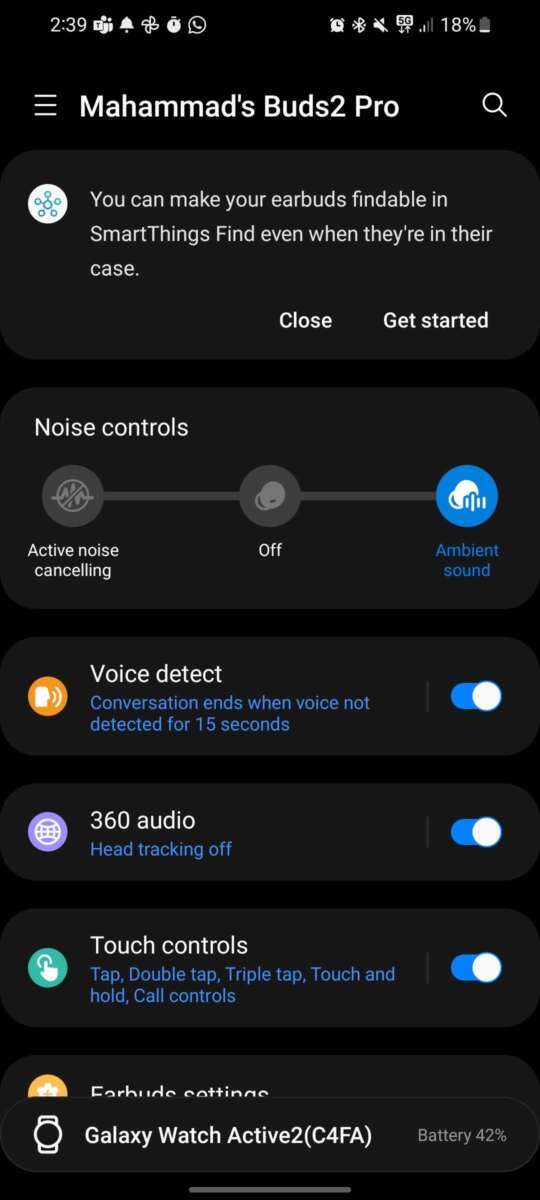
Ambient Sound on Samsung earbuds lets you hear nearby sounds while listening to music or taking calls.
If you have wondered what is ambient sound on Samsung earbuds, the feature is designed to keep you aware of people, traffic, announcements, and other sounds around you. It uses the earbuds’ outside microphones to capture nearby audio and play it into your ears with your music or podcast. Once you understand how it works, you can use it more safely and comfortably in daily life.

What is ambient sound on Samsung earbuds?
Ambient Sound is a listening mode on many Samsung Galaxy Buds models. It allows outside sounds to pass through the earbuds while you continue listening to audio. The earbuds use built-in microphones to pick up sound from your surroundings, then send that sound to the speakers in your ears.
In simple terms, Ambient Sound works like opening a small window between your ears and the world around you. You can hear a train announcement, a coworker, or a car horn without removing your earbuds.
The feature is different from simply lowering the volume. Lowering the volume only makes your music quieter. Ambient Sound actively brings outside sound into your listening experience.
Depending on the Galaxy Buds model and software version, Ambient Sound may include extra settings such as:
• Adjustable ambient volume
• Voice detect
• Conversation mode
• Enhanced voice or hearing support
• Separate left and right earbud controls
The exact options can differ between Galaxy Buds2, Galaxy Buds2 Pro, Galaxy Buds Pro, Galaxy Buds Live, Galaxy Buds FE, and newer models. Some features also require the Galaxy Wearable app and a compatible Samsung Galaxy phone.
How does Ambient Sound work?
Samsung earbuds use external microphones to collect sounds near you. A digital processor then adjusts those sounds before sending them through the earbuds’ internal speakers.
This process happens quickly. When it works well, nearby voices and environmental sounds feel natural rather than delayed. However, the sound may not be exactly the same as hearing without earbuds because it passes through microphones, software, and speakers.
What is ambient sound on Samsung earbuds in technical terms? It is a form of microphone-based audio passthrough. The earbuds do not remove their physical seal. Instead, they recreate some outside sound electronically.
The earbuds may also adjust the sound based on your selected level. A low setting can add a gentle awareness of your surroundings. A high setting can make voices and nearby sounds much easier to hear.
Ambient Sound is not the same as transparency mode on every brand of earbuds, although the basic idea is similar. Samsung uses the term Ambient Sound in its Galaxy Buds software and settings.

Why use Ambient Sound on Samsung earbuds?
The main benefit is awareness. You can keep your earbuds in without feeling completely cut off from the people and sounds around you.
Common uses include:
• Hearing a flight or train announcement
• Talking with a coworker without removing your earbuds
• Listening for a child while using one or both earbuds
• Hearing a delivery driver at the door
• Staying aware while walking in a low-risk public area
• Listening to music while working in an office
• Hearing a gym instructor or class announcement
For example, imagine sitting in a coffee shop. With noise cancellation enabled, you may miss your name when your order is ready. With Ambient Sound turned on, you can listen to music at a low level and still hear the barista.
What is ambient sound on Samsung earbuds useful for during a conversation? It can help you hear a person more clearly while your earbuds remain in place. Some models can detect when you speak and lower the media volume automatically.
Ambient Sound can also reduce the need to remove and reinsert your earbuds. That small convenience matters during a busy workday.
Ambient Sound versus noise control modes
Samsung Galaxy Buds often provide several sound modes. The names can vary by model, but the basic differences are easy to understand.
Ambient Sound
Ambient Sound adds outside audio to your earbuds. It is useful when you want music and environmental awareness at the same time.
Active Noise Cancellation
Active Noise Cancellation, or ANC, uses microphones and processing to reduce certain outside sounds. It works best against steady noise, such as airplane engines, air conditioners, and bus movement.
ANC does not block every sound. Loud voices, sudden sounds, and high-pitched noises may still be heard.
Off mode
When sound controls are off, the earbuds do not actively add outside sound or reduce it through ANC. The earbud tips may still block some noise because they create a physical seal.
What is ambient sound on Samsung earbuds compared with ANC? Ambient Sound makes the outside world easier to hear, while ANC tries to make it quieter. They serve opposite listening needs.
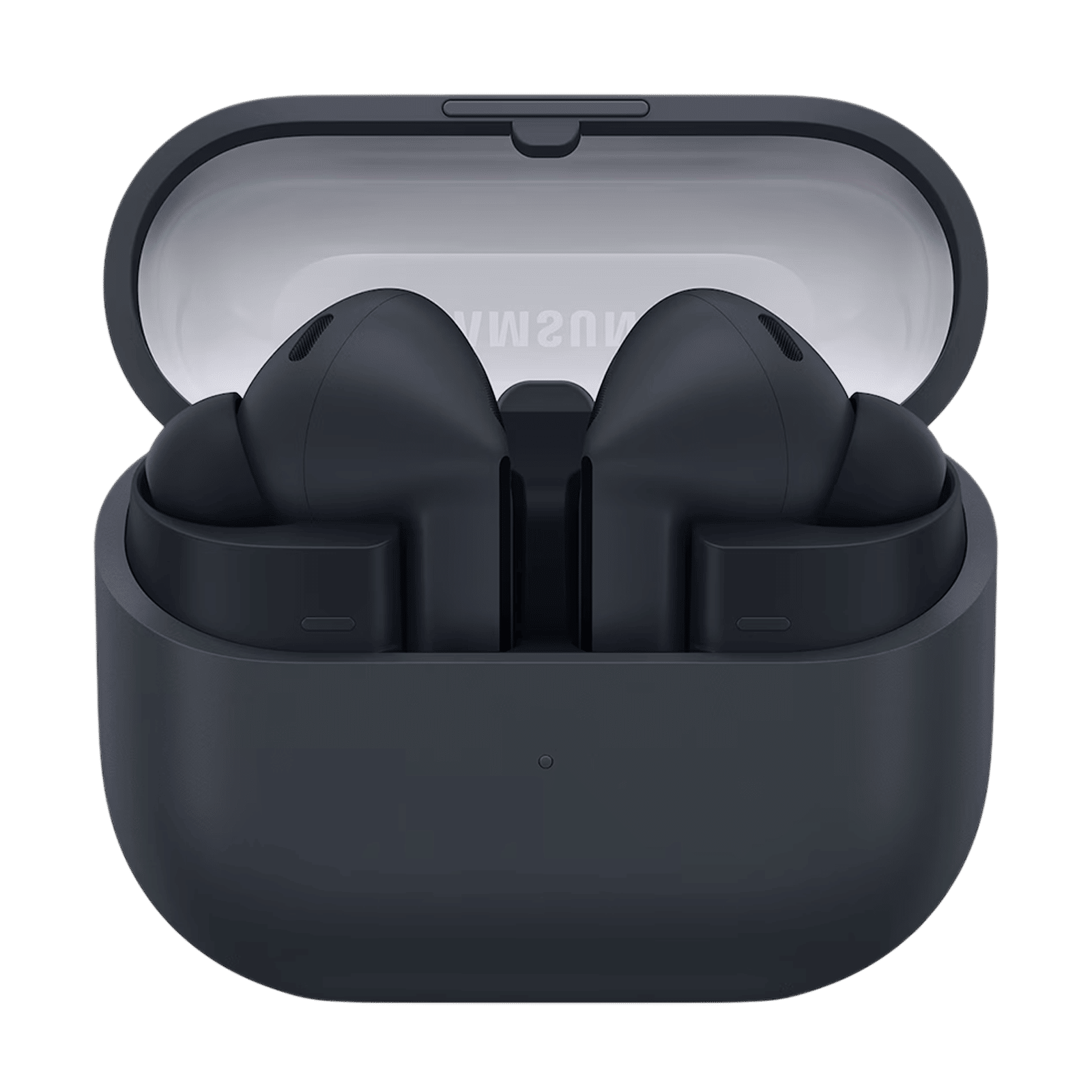
How to turn on Ambient Sound
You can usually turn on Ambient Sound through the Galaxy Wearable app or the touch controls on the earbuds.
Using the Galaxy Wearable app
-
Open the Galaxy Wearable app on your compatible phone.
-
Connect your Galaxy Buds.
-
Select your earbuds from the device list.
-
Tap Sound controls, Noise controls, or a similar option.
-
Choose Ambient Sound.
-
Adjust the ambient volume if your model supports it.
The menu name may change after a software update. If you cannot find Ambient Sound, check that the earbuds are connected and that the Galaxy Wearable app is updated.
Using the earbuds
Many Galaxy Buds models let you switch sound modes by touching and holding an earbud. You can customize this action in the Galaxy Wearable app.
Open the app, select Touch controls, and assign the press-and-hold action to change noise control modes. You may then switch between ANC, Ambient Sound, and Off without reaching for your phone.
Using a Samsung phone panel
Some Samsung phones show earbud controls in the quick panel or Bluetooth settings. This option is not available in the same way on every phone, so the Galaxy Wearable app is usually the most reliable method.
How to adjust Ambient Sound volume
A low Ambient Sound level may be enough for office use. A higher level can help you hear voices in a busy space.
To adjust it:
-
Open the Galaxy Wearable app.
-
Select your Galaxy Buds.
-
Choose Ambient Sound.
-
Move the slider to a comfortable level.
-
Test the setting with quiet audio playing.
Avoid setting the level too high just to hear a conversation. High volume from both your music and Ambient Sound can become tiring. It may also encourage you to raise your media volume more than necessary.
Some Samsung earbuds include an option that makes human voices clearer. This can be helpful when speaking with someone face to face. It does not turn the earbuds into professional hearing aids, and it should not replace medical hearing support.
What is ambient sound on Samsung earbuds at its best? It is a moderate setting that improves awareness without making the outside world sound harsh or artificial.

Voice Detect and conversation features
Some Galaxy Buds models include Voice Detect. When the earbuds detect that you are speaking, they can lower the media volume and activate Ambient Sound for a short time.
This feature can be useful in a store or office. You can ask a quick question without touching your phone or removing the earbuds.
Voice Detect may not work perfectly in every situation. It can respond to humming, singing, coughing, or other sounds that resemble speech. It may also fail to detect quiet speech in a loud place.
You can often adjust how long the feature stays active after it detects your voice. A short delay works well for quick comments. A longer delay may be better for a full conversation.
A practical tip is to test Voice Detect at home first. If it activates too often, turn it off and use manual Ambient Sound instead.
Is Ambient Sound safe to use?
Ambient Sound can improve awareness, but it does not make earbuds safe in every situation. The microphones and software may miss sounds, change their direction, or make them seem farther away than they are.
Do not rely on Ambient Sound while:
• Crossing busy roads
• Riding a bicycle in traffic
• Operating a car or other vehicle
• Working near heavy machinery
• Walking close to train tracks
• Taking part in activities that require full attention
The safest approach is to keep the volume low and remain visually alert. Consumer earbuds are not a replacement for awareness, protective equipment, or certified hearing devices.
Health experts commonly recommend avoiding long exposure to loud audio. A simple rule is to use the lowest volume that lets you enjoy your content. If you notice ringing, muffled hearing, or ear discomfort, remove the earbuds and give your ears a break.
Common problems with Ambient Sound
Ambient Sound may sound strange at first. This does not always mean the earbuds are faulty.
Outside audio sounds robotic
A microphone captures sound differently from the human ear. Voices may seem sharper, thinner, or slightly artificial. Try lowering the Ambient Sound level and checking whether the ear tips fit correctly.
Wind noise becomes too loud
Wind can hit the external microphones and create rushing noise. This often happens outdoors or near fans. Moving to a sheltered area or reducing Ambient Sound can help.
One earbud sounds different
Check whether both earbuds are seated properly. Clean the microphone openings with a dry, soft brush. Also review the left and right sound balance in the Galaxy Wearable app.
Ambient Sound will not turn on
Charge the earbuds, reconnect them, and restart the app. Then check for firmware updates. Some functions may not work with unsupported phones or older software.
The sound is delayed
A small delay can occur because outside audio is processed before you hear it. This is normal to a degree. If the delay is large, restart the earbuds and update their software.

Tips for a more natural Ambient Sound experience
The ear tip fit affects Ambient Sound more than many people expect. A loose tip can reduce bass, allow too much raw noise to enter, and make the processed sound feel unbalanced.
Try these steps:
• Test each included ear tip size.
• Make sure the earbuds sit evenly.
• Keep the microphone openings clean.
• Start with a middle Ambient Sound level.
• Keep music volume moderate.
• Turn on voice features only when you need them.
• Update the Galaxy Wearable app and earbud software.
During testing, one common mistake is using maximum Ambient Sound with loud music. The result can feel busy and tiring. A better setup is low or medium media volume with moderate Ambient Sound.
It also helps to use different settings for different places. Use a lower level at home, a medium level in an office, and a carefully chosen level outdoors. There is no single perfect setting for everyone.
Does Ambient Sound drain the battery?
Ambient Sound uses the earbuds’ microphones and audio processing, so it can affect battery life. The exact effect depends on the Galaxy Buds model, volume, codec, Bluetooth connection, and other settings.
Active Noise Cancellation and Ambient Sound may both use more power than having sound controls turned off. Samsung’s stated battery figures are usually based on specific test conditions, so real-world results can vary.
To extend battery life:
• Turn off Ambient Sound when you do not need it.
• Keep the earbuds in their charging case between uses.
• Avoid maximum volume.
• Disable features you rarely use.
• Keep the earbuds and phone software updated.
If battery life suddenly drops, check whether ANC, Ambient Sound, voice detection, or continuous calls are running in the background.
Which Samsung earbuds support Ambient Sound?
Many Galaxy Buds models support some form of Ambient Sound or sound passthrough. Support and controls vary by product.
Common examples include:
• Galaxy Buds2
• Galaxy Buds2 Pro
• Galaxy Buds Pro
• Galaxy Buds Live
• Galaxy Buds FE
Newer models may use updated names such as Ambient Sound, Adaptive Sound, or advanced noise control. The available features depend on the model, firmware, phone, and Galaxy Wearable app version.
Before buying, check the product specifications for Ambient Sound, transparency, or environmental sound support. Do not assume that every Galaxy Bud model has the same microphone quality or adjustment options.
What is ambient sound on Samsung earbuds across different models? The purpose is similar, but the clarity, volume range, voice detection, and wind handling can vary.

How Ambient Sound affects calls
Ambient Sound mainly changes what you hear. It does not automatically make your voice clearer to the person on the other end of a call.
Call quality depends on the earbuds’ internal microphones, the phone connection, background noise, and the calling app. If you are in a windy place, the other person may still hear noise even when Ambient Sound sounds fine to you.
For a better call:
-
Move away from strong wind.
-
Keep the microphone openings clear.
-
Speak at a normal volume.
-
Use a stable Bluetooth connection.
-
Check whether the phone is using the earbuds as the call microphone.
Ambient Sound can help you hear your own voice and surroundings during a call. That may make speaking feel more natural, especially in a quiet office.
Frequently asked questions about what is ambient sound on Samsung earbuds
What does Ambient Sound mean on Samsung earbuds?
Ambient Sound uses the earbuds’ external microphones to bring nearby sounds into your ears. It lets you hear your surroundings while music, podcasts, or calls continue playing.
Is Ambient Sound the same as noise cancellation?
No. Ambient Sound increases awareness of outside sounds, while Active Noise Cancellation reduces certain outside sounds. They are opposite modes, although some earbuds let you switch between them quickly.
Can I hear people while using Ambient Sound?
Yes, you can usually hear people more easily with Ambient Sound enabled. Lower your music volume and use a moderate Ambient Sound level for clearer conversation.
Does Ambient Sound work without music?
Yes. Ambient Sound can work even when no music is playing on many Samsung Galaxy Buds models. It can make the earbuds feel less isolating while you wear them.
Why does Ambient Sound sound unnatural?
The earbuds capture outside audio with microphones and play it through small speakers. This processing can make voices sound sharp, hollow, or slightly delayed, especially at high settings.
Does Ambient Sound protect me from traffic?
No. Ambient Sound may improve awareness, but it cannot guarantee that you will hear every vehicle or hazard. Stay alert, keep the volume low, and remove the earbuds when you need full awareness.
Can I control Ambient Sound from my earbuds?
Many Galaxy Buds models let you switch modes by touching and holding an earbud. You can usually set this action in the Galaxy Wearable app.
Does Ambient Sound use more battery?
It can use more battery because the microphones and audio processing remain active. Battery impact varies by Galaxy Bud model, volume, software, and other features.
Is Ambient Sound available on every Samsung earbud?
No. Support varies by model and software version. Check the product specifications or the Galaxy Wearable app to confirm whether your earbuds include the feature.
Conclusion
Ambient Sound on Samsung earbuds is a microphone-based passthrough mode that helps you hear nearby sounds without removing your earbuds. It is useful for conversations, announcements, office work, and everyday awareness, but it should not replace careful attention in traffic or other risky settings.
Start with a moderate setting, keep your music volume low, and test the feature in a quiet place before using it outdoors. Explore the Galaxy Wearable app to customize touch controls, voice detection, and sound levels for your routine. Share your favorite Galaxy Buds setting or explore more audio guides to get the most from your earbuds.

Everett Ashford is a tech reviewer at mytechgrid.com specializing in SSDs, cameras, TVs, earbuds, headphones, and other consumer electronics. He provides honest, data-driven reviews based on hands-on testing and real-world performance analysis. Everett simplifies complex tech details to help readers make smart, confident buying decisions.