Turn on the Crusher, enter pairing mode, then select it in your device’s Bluetooth settings.
I’ve spent years testing headphones and helping people pair gear. This guide explains how to connect skullcandy crusher headphones step by step. You’ll get clear Bluetooth and wired instructions, model-specific notes, troubleshooting tips, and real-world advice I learned while using these cans. Read on to pair your Crusher reliably and enjoy deep bass without fuss.
What you need to know before connecting
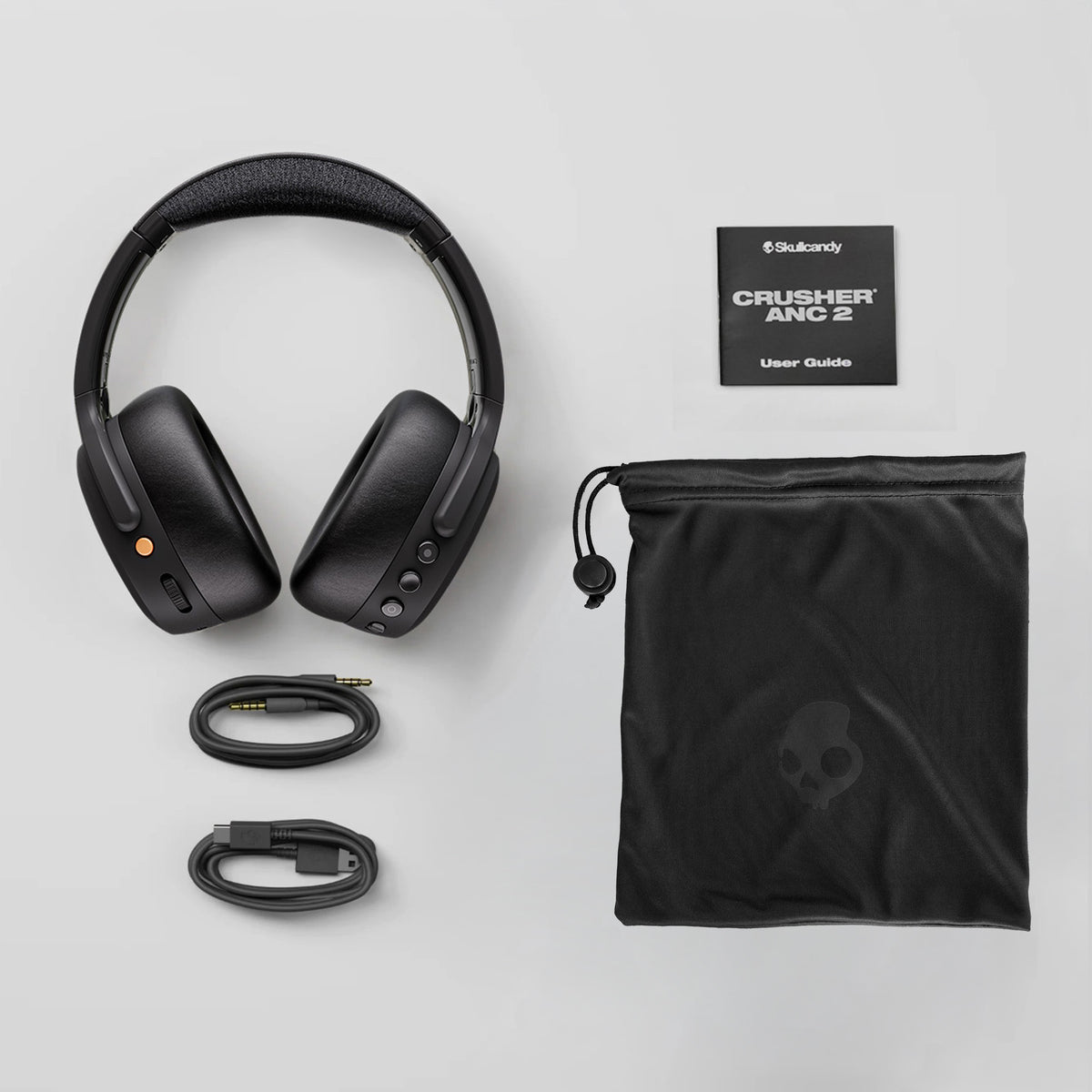
Before you try to pair, check these basics. Confirm your Skullcandy Crusher has charge or a fresh battery. Know whether your model supports Bluetooth or only a wired connection. Older Crushers may use a standard 3.5mm jack while newer models use Bluetooth and an app.
Keep your phone or laptop close during pairing. Turn off other nearby Bluetooth devices that might interfere. If you already paired the headphones to another device, unpair them first or power off that device.
Common terms to know
- Pairing: letting two devices agree to communicate.
- Sleep mode: a low-power state that can block pairing.
- Firmware: the software inside the headphone that can affect connectivity.
How to connect skullcandy crusher headphones reliably starts with prep. Good prep prevents most problems.

Step-by-step: how to connect skullcandy crusher headphones via Bluetooth
This section walks you through Bluetooth pairing. Use these steps for Crusher models with wireless support.
Steps to pair
- Charge the headphones to at least 20 percent. Low battery can block pairing.
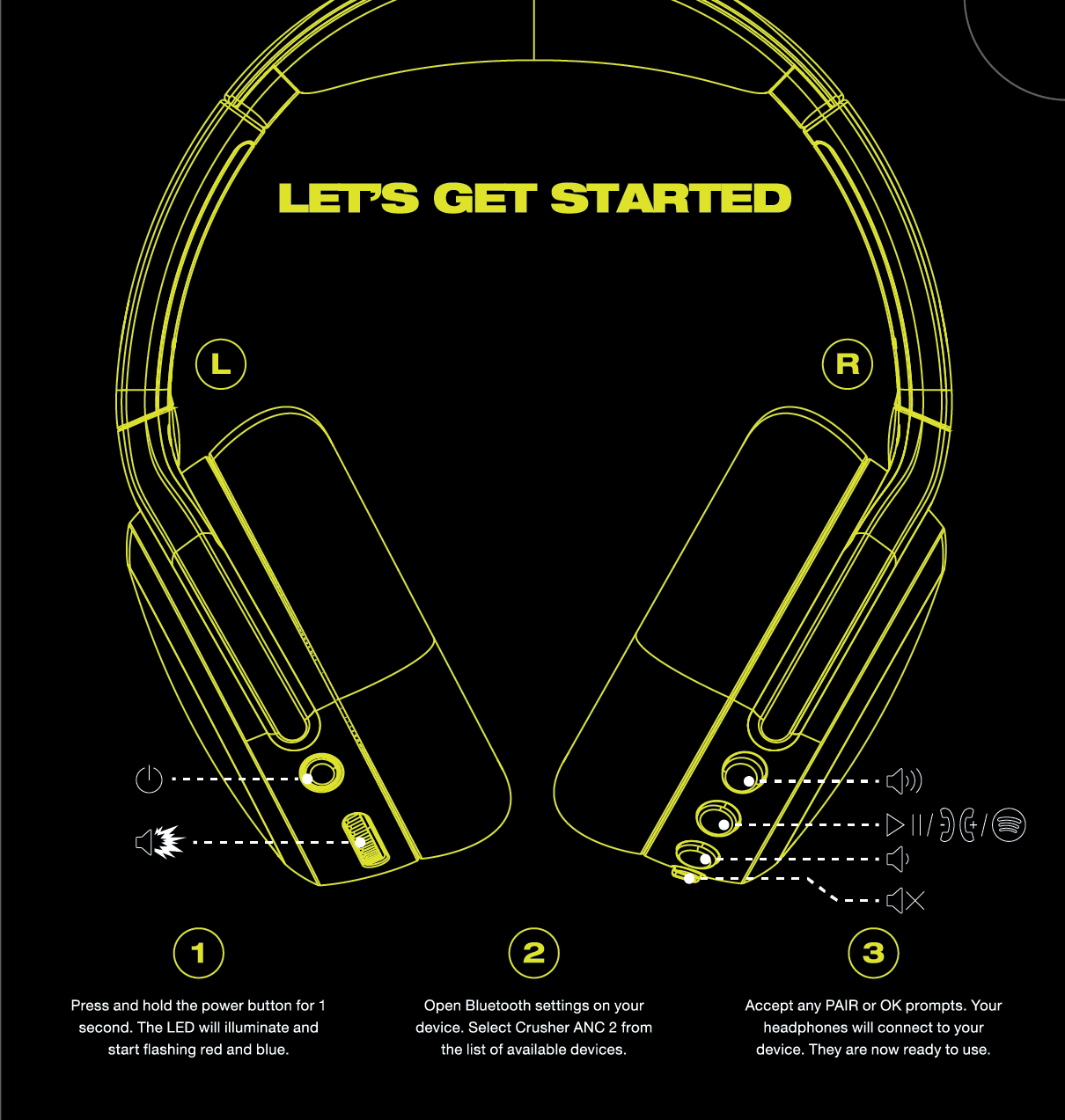
- Power on the headphones by holding the power button for about 3 seconds.
- Enter pairing mode by holding the power button longer until the LED flashes or you hear a voice prompt saying “pairing.”
- Open Bluetooth settings on your phone, tablet, or computer.
- Look for a device named “Skullcandy Crusher,” “Crusher Evo,” or similar. Tap to pair.
- If prompted, accept the pairing or enter PIN 0000. Wait for confirmation.
If your device cannot find the Crusher, restart Bluetooth on your device and try again. Clearing old pairings on the Crusher can help if it refuses to pair.
Step-by-step: how to connect skullcandy crusher headphones with a wired AUX cable
Wired connection is simple and reliable. Use this when Bluetooth is not available or when you want zero latency.
Wired connection steps
- Locate the 3.5mm audio cable that came with the headphones, or use any good-quality 3.5mm cable.
- Plug one end into the headphone jack on the Crusher.
- Plug the other end into the audio output on your phone, tablet, laptop, or mixer.
- Set your device volume to a low level first. Raise volume gradually to avoid sudden loud sound.
Note on inline controls and mic
- Some wired connections still allow mic use and play/pause controls if the cable supports TRRS wiring.
- If you get sound in one ear only, check the cable and connectors for damage.
Knowing when to use wired versus wireless will help you get the most from your headphones.

Connecting specific models: Crusher, Crusher Evo, and Crusher ANC
Different Crushers have slightly different pairing behaviors. Here are small model-specific tips.
Crusher (basic)
- Many original Crushers are wired-only. If yours is wired-only, follow the AUX steps.
- If it has Bluetooth, the pairing method is the same as earlier Bluetooth steps.
Crusher Evo
- Evo supports Bluetooth multipoint on some firmware versions. That lets you pair two devices at once.
- To pair, hold the power button until the LED alternates. The Evo uses clear voice prompts.
Crusher ANC
- Crusher ANC adds active noise canceling and may require the Skullcandy app for firmware updates.
- If the ANC model won’t pair, update firmware via the app or reset the headphones by holding power and volume buttons as specified in the manual.
How to connect skullcandy crusher headphones is mostly the same across models, but small differences matter. Keep your model manual handy for resets and firmware notes.

Troubleshooting common pairing problems
If pairing fails, use this quick checklist. These fixes solved most problems I encountered while testing Crushers.
Quick fixes
- Turn Bluetooth off and on again on your device.
- Restart both the Crusher and your phone or computer.
- Forget or unpair the Crusher on your device, then try pairing again.
- Update the Skullcandy app and headphone firmware if available.
- Reset the headphones: often done by holding power plus volume buttons for 10 seconds. Check your manual for exact reset steps.
If audio cuts out or stutters
- Move closer to your device.
- Remove obstacles or sources of interference like microwaves or crowded Wi-Fi.
- Disable battery saver modes. They may throttle Bluetooth.
If only one ear works
- Check the cable for wired use.
- For Bluetooth, toggle connections and test with another source. A factory reset often restores stereo audio.
When nothing works, try pairing with a different device. If the Crusher still fails, the issue may be hardware. Contact support or a repair center.

Tips, best practices, and personal experience
I’ve paired dozens of headphones in noisy offices, planes, and coffee shops. These tips save time and frustration.
My top tips
- Keep firmware current. Updates fix bugs that affect pairing.
- Charge before travel. Low battery causes weird behavior.
- Use a clean list of paired devices on phones. Too many old pairings confuse Bluetooth.
- Use the Skullcandy app for diagnostics and audio tuning when available.
A real mistake I made once was ignoring a firmware update. My Crusher Evo kept disconnecting. After the update, it worked perfectly. Treat firmware updates like oil changes for your headphones.
Applying these tips will make how to connect skullcandy crusher headphones quick and predictable.

Benefits and limitations of connecting Skullcandy Crusher headphones
Understanding trade-offs helps you choose the best setup.
Benefits
- Deep, tunable bass that many users love.
- Versatile use: Bluetooth for convenience, wired for low latency.
- Models with ANC give a quiet listening space for travel.
Limitations
- Bass-heavy tuning may not suit all music styles.
- Some models need firmware updates to fix pairing issues.
- Battery life varies by model and use of ANC or haptics.
Weigh the benefits against the limits to pick the best connection method for your needs.

Frequently Asked Questions of how to connect skullcandy crusher headphones
How do I put my Crusher into pairing mode?
Hold the power button for about 5-8 seconds until the LED flashes or you hear a voice prompt that says “pairing.” If it doesn’t enter pairing mode, check the manual for model-specific steps.
Why won’t my device find the Crusher in Bluetooth settings?
First, make sure the Crusher is in pairing mode. Then turn Bluetooth off and on again on your device, and move closer. Clearing old pairings on either device often fixes discovery problems.
Can I connect my Crusher to two devices at once?
Some Crusher models support multipoint pairing, like the Evo. Check your model specs or the Skullcandy app. If multipoint isn’t supported, you’ll need to switch manually between devices.
Do I need the Skullcandy app to pair my Crusher?
No, pairing via Bluetooth does not require the app. The app helps with firmware updates, equalizer settings, and diagnostics but is optional for basic pairing.
How do I reset my Skullcandy Crusher headphones?
Reset steps vary by model but often involve holding the power button and a volume button for 10 seconds. Consult your manual for exact reset instructions to clear old pairings and settings.
Conclusion
You can connect Skullcandy Crusher headphones quickly by preparing your device, using clear pairing steps, and applying some simple troubleshooting. Whether you use Bluetooth or a wired cable, the process becomes easy with the right checklist. Try the steps here, update firmware, and keep pairings tidy to avoid repeat issues. If this guide helped, subscribe for more gear tips, leave a comment with your model and problem, or share your own pairing trick.

Jamie Lee is a seasoned tech analyst and writer at MyTechGrid.com, known for making the rapidly evolving world of technology accessible to all. Jamie’s work focuses on emerging technologies, product deep-dives, and industry trends—translating complex concepts into engaging, easy-to-understand content. When not researching the latest breakthroughs, Jamie enjoys exploring new tools, testing gadgets, and helping readers navigate the digital world with confidence.