Put both earbuds in the case, open Bluetooth, press pairing button; follow on-screen prompts.
I’ve paired many Amazon earbuds across phones, laptops, and smart speakers. This guide explains exactly how to pair Amazon earbuds, step by step, with tips, fixes, and real-life notes. You will learn quick pairing, device-specific steps, and what to do when pairing fails. Read on to pair your earbuds fast and keep them working smoothly.
:max_bytes(150000):strip_icc()/1-080cbfe849a64f8aa2e000aacf5d6f30.jpg)
Why pairing matters for Amazon earbuds
Pairing links your Amazon earbuds to a device so you can hear audio and use the mic. Good pairing gives a steady Bluetooth link, low lag, and clear calls. Poor pairing causes skips, dropouts, or no sound.
Key reasons to pair correctly:
- Secure audio: Prevents other nearby devices from taking over audio.
- Best performance: Enables the right Bluetooth profile and codecs.
- Full features: Lets the earbuds use firmware updates and touch controls.
Knowing how to pair Amazon earbuds helps you avoid common problems and get the best sound and battery life. I’ll show clear steps and fixes below so you waste no time.

Which Amazon earbuds support easy pairing
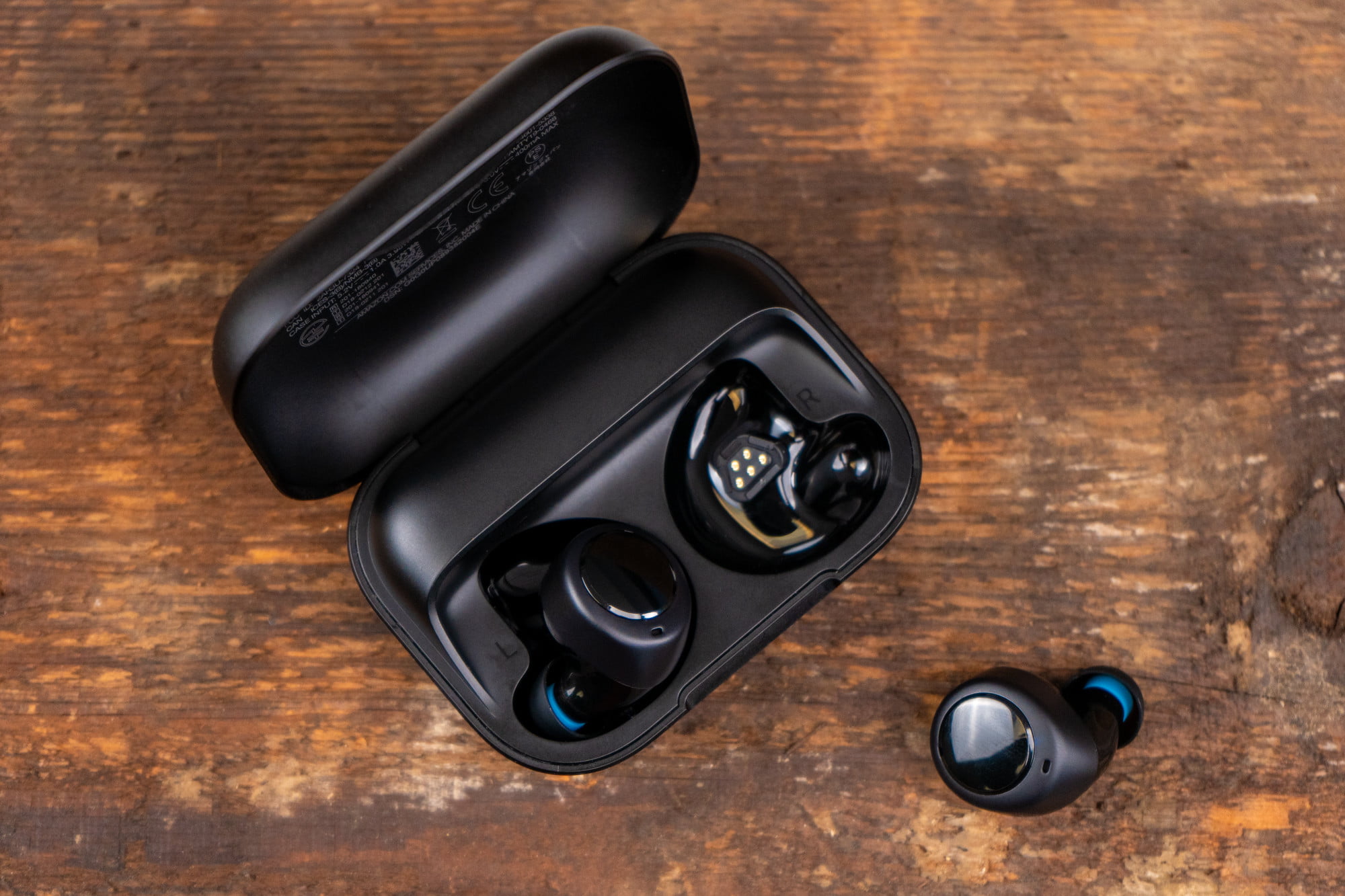
Most Amazon-made earbuds have simple pairing. Common models include Echo Buds (1st and 2nd gen), Echo Pop, and Amazon Basics wireless earbuds. Many third-party earbuds sold by Amazon also follow standard Bluetooth pairing.
What to expect:
- Single-button or case-based pairing modes.
- App-based features on Echo Buds and Echo Pop.
- Standard Bluetooth support for phones, laptops, and tablets.
If your earbuds are Amazon-branded, they usually pair like other modern Bluetooth earbuds. Keep the case and manual handy for model-specific steps.

Step-by-step: How to pair Amazon earbuds with different devices
Below are clear steps for common devices. These steps show how to pair Amazon earbuds in many real-world setups.
Pair with Android
- Unlock your phone and open Settings > Bluetooth.
- Put the earbuds in pairing mode. For case-based earbuds, open the case with earbuds inside or press the case button. For button-based models, press and hold until a light flashes.
- In Bluetooth list, tap the earbuds name to pair.
- Accept any prompts and test audio.
If your Android shows no name, refresh Bluetooth or turn it off and on.
Pair with iPhone
- Open Settings > Bluetooth.
- Put earbuds in pairing mode (open case or hold button).
- Wait for the earbuds to appear and tap to connect.
- For Echo Buds, you can also use the Alexa app for extra settings.
iPhone may prompt for permissions for phone calls and Bluetooth access. Allow these for full functionality.
Pair with Windows PC
- Open Start > Settings > Bluetooth & devices.
- Turn Bluetooth on and select Add device > Bluetooth.
- Put earbuds in pairing mode and select them from the list.
- Confirm pairing and set earbuds as output device.
If audio doesn't play, check Sound settings and input/output selection.
Pair with Mac
- Open System Settings > Bluetooth.
- Enable Bluetooth and put earbuds in pairing mode.
- Click Connect when earbuds appear.
- Choose earbuds in Sound settings for audio and mic.
Restart Bluetooth or the Mac if pairing stalls.
Pair with Amazon Echo or Fire TV
- Open the Alexa app or Fire TV Settings > Remotes & Devices > Bluetooth Devices.
- Put earbuds in pairing mode.
- Use the app or TV to add the earbuds.
You can switch between Echo and phone, but sometimes one device reclaims the connection. Know how to re-pair quickly.
These steps cover the common cases for how to pair amazon earbuds. Follow model-specific prompts when they appear.
Troubleshooting common pairing problems
Here are fixes for typical issues when learning how to pair amazon earbuds.
Common problems and fixes:
- Earbuds won’t enter pairing mode — Fully charge them and hold the pairing button for the full time listed in the manual.
- Device can’t find earbuds — Turn Bluetooth off and on, move closer, and ensure no other device is connected.
- Stuck pairing or “failed” message — Forget the earbuds on your device, restart the device, and try pairing again.
- One earbud not connecting — Place both earbuds in the case and reset per manual, then re-pair.
If nothing works, a factory reset often resolves deep software mismatches. Keep firmware updated for fewer bugs.
People also ask: quick Qs
How long does pairing take?
Pairing usually takes 5–30 seconds once in pairing mode. If it takes longer, a reset may help.
Do Amazon earbuds work with any Bluetooth device?
Yes, most Amazon earbuds support standard Bluetooth and work with phones, tablets, and computers that have Bluetooth.
Will pairing drain the battery?
Bluetooth pairing itself uses a small amount of power. The main battery use is audio playback, not pairing.

Advanced tips and best practices
Use these tips to get the most from your Amazon earbuds after you learn how to pair amazon earbuds.
Best practices:
- Keep earbuds and the host device close while pairing to reduce interference.
- Update firmware via the Alexa app or manufacturer app when available.
- Reset earbuds if they behave oddly after software updates.
- Unpair old devices you don’t use to speed up reconnections.
- Use the Amazon app to enable features like noise control or voice assistant.
Sound quality tips:
- Use higher-quality codecs if both devices support them.
- Turn off unused wireless features on the host device to reduce interference.
- Fit the ear tips well for better bass and call clarity.
These steps reduce problems and keep your Amazon earbuds responsive.

Personal experience and practical tips
I’ve paired Amazon earbuds on multiple phones and laptops. A few lessons I learned:
- Always charge the case first. Low battery can prevent pairing.
- If a device won’t pair, try the Alexa app; it often reveals hidden pairing steps.
- Resetting twice fixed a stubborn case with an older phone.
- Label the earbuds in your Bluetooth list so they’re easy to find when multiple devices are nearby.
Mistakes to avoid:
- Don’t rush the holding time for the pairing button. Short presses might switch modes instead.
- Don’t assume a visible LED means pairing mode; check for blinking patterns like fast flashes or alternating colors.
These practical tips save time and reduce frustration when you pair Amazon earbuds.

Frequently Asked Questions of how to pair amazon earbuds
How do I put Amazon earbuds into pairing mode?
Press and hold the case button or earbud button per the manual until an LED flashes. The phone should then detect the earbuds in Bluetooth settings.
Why won’t my device find my Amazon earbuds?
Check battery level, move devices closer, and ensure no other device is actively connected. Turning Bluetooth off and on can help.
Can I pair Amazon earbuds with multiple devices?
Yes. Many models remember several devices. Switch between them from Bluetooth settings or by re-pairing.
How do I reset my Amazon earbuds?
Reset steps vary by model but often include holding buttons on earbuds or the case for 10–30 seconds. Consult the manual for model-specific steps.
Do I need an app to pair Amazon earbuds?
No. Basic pairing uses your device’s Bluetooth. An app may unlock extra features and firmware updates.
Will firmware updates affect pairing?
Sometimes updates change pairing behavior. Always follow update prompts and re-pair if needed.
Conclusion
You now have clear, simple steps to learn how to pair amazon earbuds with phones, computers, and Echo devices. Use the steps, try the quick fixes, and keep firmware current to avoid common issues. Start by charging your earbuds, entering pairing mode, and using your device’s Bluetooth menu — it works most of the time. Try the tips today, and leave a comment about your pairing experience or questions.

Everett Ashford is a tech reviewer at mytechgrid.com specializing in SSDs, cameras, TVs, earbuds, headphones, and other consumer electronics. He provides honest, data-driven reviews based on hands-on testing and real-world performance analysis. Everett simplifies complex tech details to help readers make smart, confident buying decisions.