Use Samsung's Find My Earbuds, Bluetooth last-known location, and a focused physical search.
I’ve spent years helping people track tech and I know the best approach for how to find samsung earbuds case. This guide walks you step-by-step through app tools, Bluetooth checks, smart search habits, and replacement options so you can recover your case fast or make the right next move.
Why finding your Samsung earbuds case matters
A missing case can mean dead earbuds, lost pairing data, and extra cost. Knowing how to find samsung earbuds case saves time and keeps your earbuds ready to use.
A case often holds the last charge and keeps earbuds paired. Losing it interrupts daily routines like commuting or calls. Treat the search like a short, methodical task to improve success.
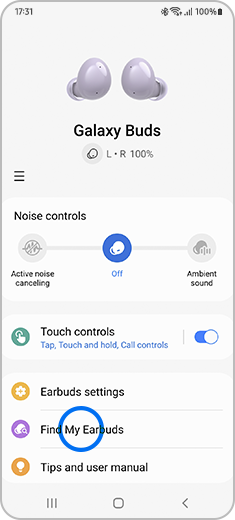
Quick steps to find Samsung earbuds case
Follow this short checklist first. Each step is fast and covers the main ways people recover a lost case.
- Check recent places you visited and pockets of jackets, bags, and car seats.
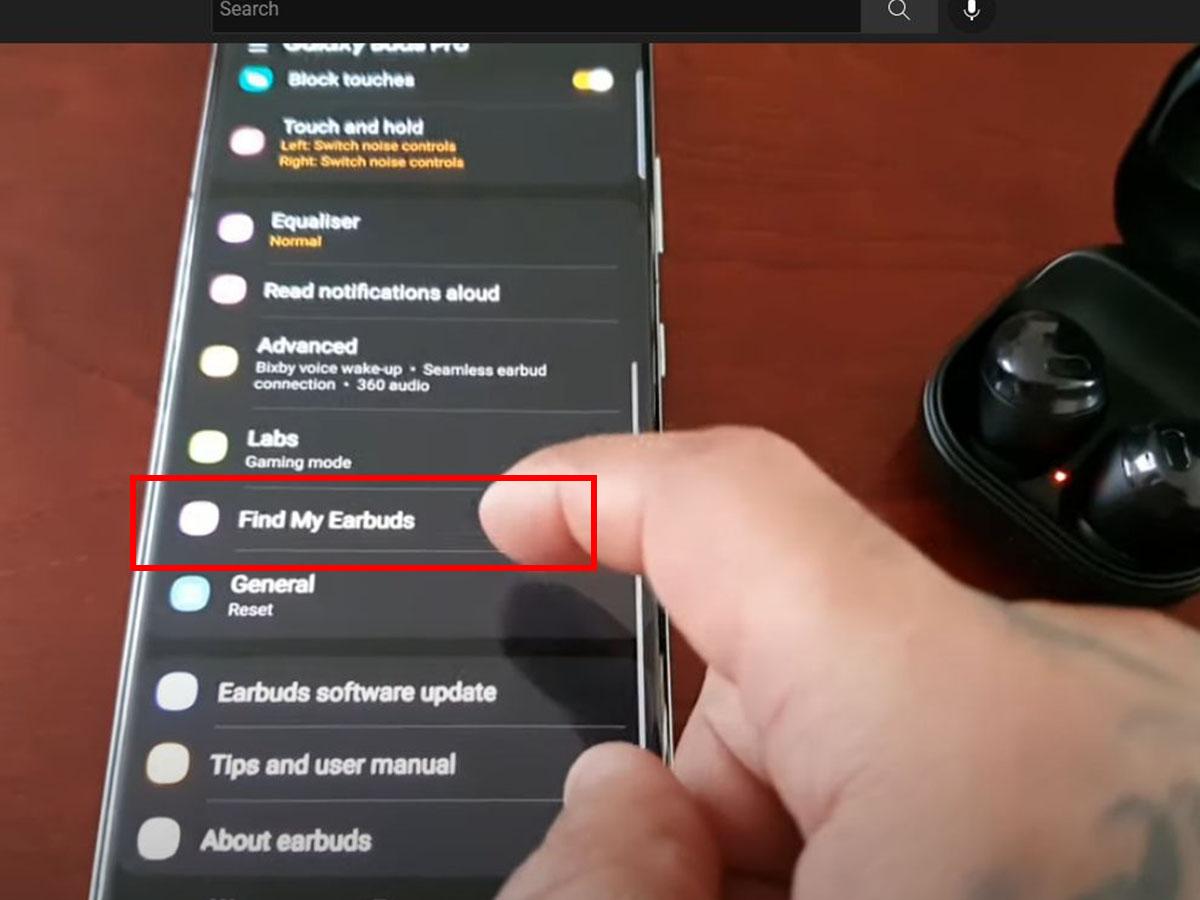
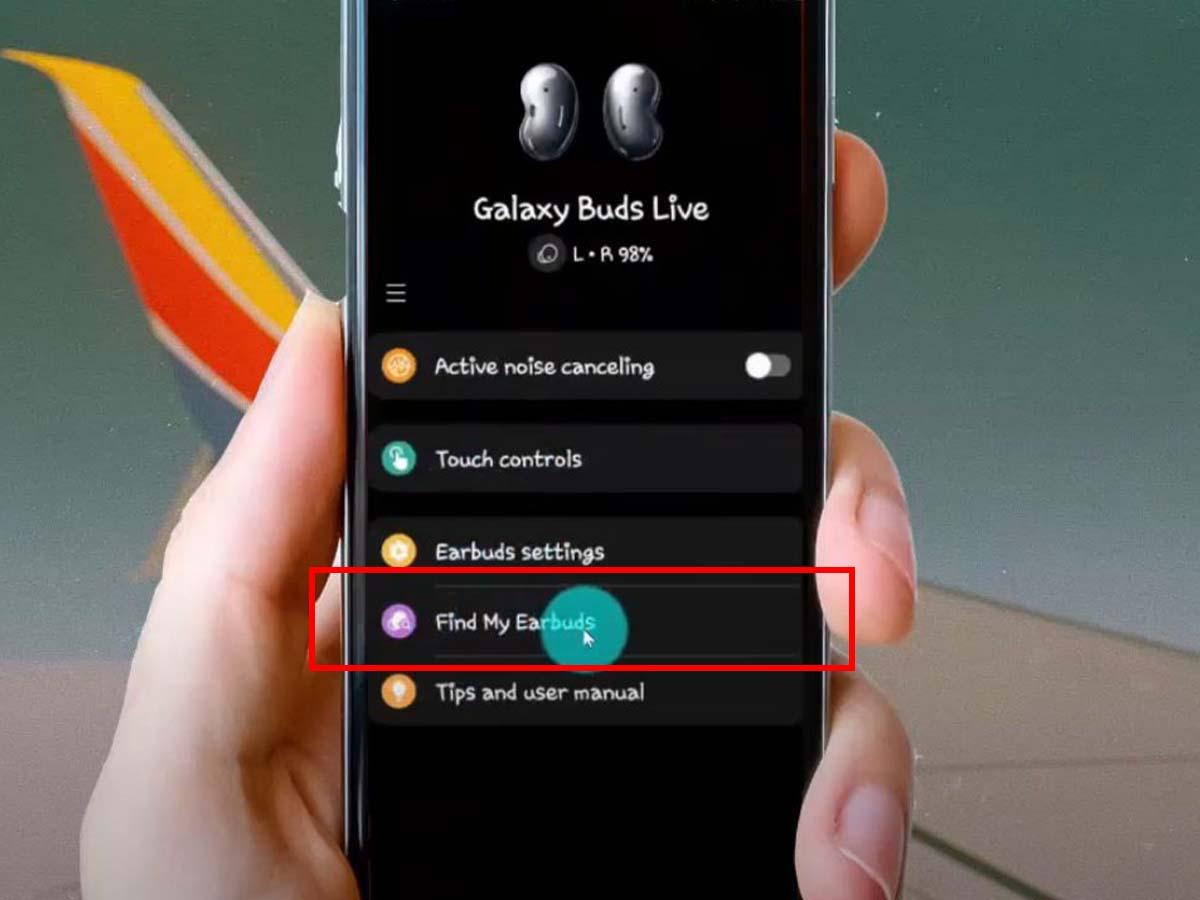
- Open the Galaxy Wearable or SmartThings app to see last-known location.
- Look for the earbuds in the case; if earbuds are inside, try playing sound from the app.
- Scan Bluetooth devices on your phone or laptop for last paired signals.
- Retrace your steps with a partner and search common hiding spots like couch cushions and laundry baskets.
If you wonder how to find samsung earbuds case quickly, this order gives you the best chance to succeed.
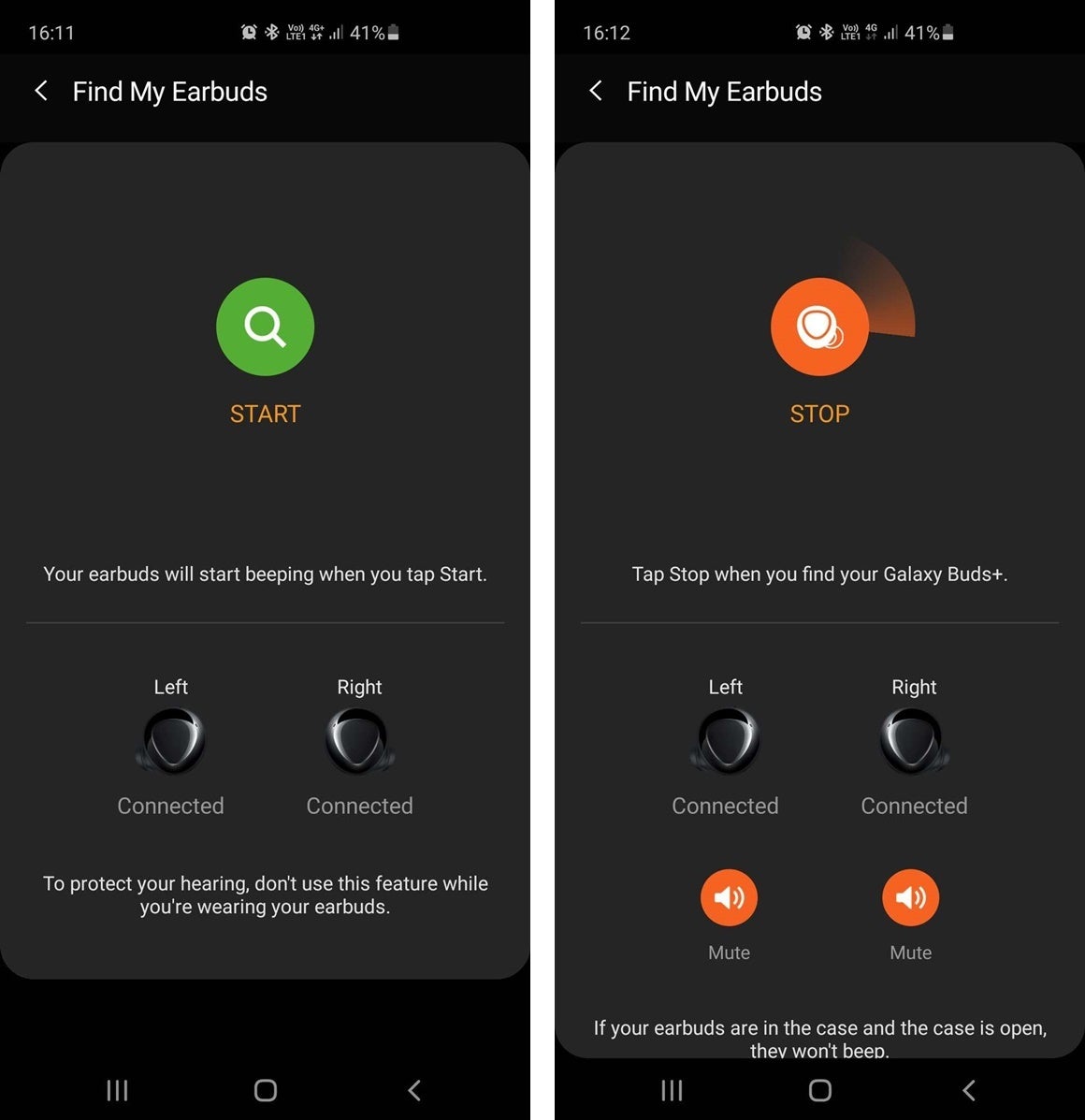
Use Find My Earbuds and Samsung tools
Samsung provides built-in tools that help a lot. SmartThings Find and the Galaxy Wearable app show when your buds were last connected and may show approximate location.
To use these tools:
- Open SmartThings Find or the Galaxy Wearable app on your paired phone.
- Look for the last seen time and the last connected location pin.
- If earbuds are inside the case and have charge, use the sound feature to play tones.
- Note the Bluetooth signal strength; walk toward higher signal areas to narrow down the spot.
When you need to know how to find samsung earbuds case using apps, these built-in features are the best starting place.
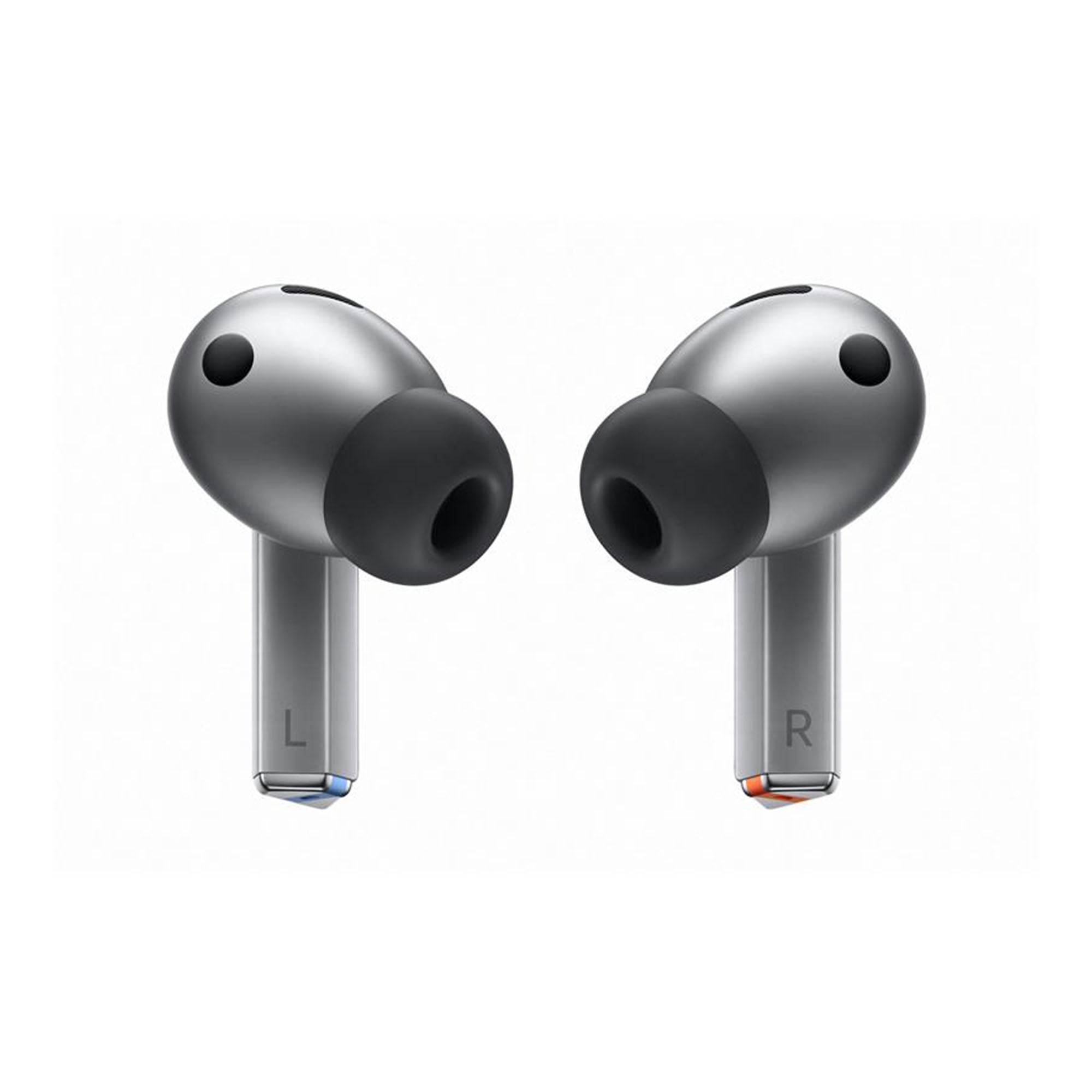
Physical search strategies and household tips
Digital tools help, but the manual search wins many finds. A calm, repeatable plan beats frantic tossing of items.
- Start in the last room you used the earbuds and expand outward. Search flat surfaces and under items.
- Check clothes pockets, bags, and small boxes; earbuds cases slip into tiny spaces easily.
- Use a flashlight at a low angle to spot glossy cases inside couch seams or under furniture.
- Empty one bag or drawer at a time. Place sorted items in clear piles so you don’t re-check the same clutter.
- Ask housemates or coworkers to look while you use the app. Fresh eyes see missed spots.
From my experience, I found my own case under a chair because I slowed down and scanned methodically. If you’re asking how to find samsung earbuds case at home, patience and a good light help more than speed.
If your Samsung earbuds case is off-grid or battery dead
Sometimes the case is empty or the electronics are off. That makes digital tracking weak or impossible.
- Check the phone’s recent Bluetooth devices list; it may show the last time they connected.
- Review your phone’s location timeline to recall where you used the earbuds last.
- Call venues you visited or check lost-and-found at stores and transit offices.
- Retrace steps during the time window the case last had charge.
If you still can’t find it, document where you looked and consider replacement options rather than endless searching. Knowing how to find samsung earbuds case when the device is offline helps set realistic expectations.
Replace, repair, or buy a new case
If recovery fails, you have safe paths to replace or repair. Check compatibility before buying.
- Verify your model (Buds, Buds+, Buds Pro, Buds Live, Buds2, etc.) and match the case model.
- Contact official support for warranty or replacement options; some manufacturers sell official cases separately.
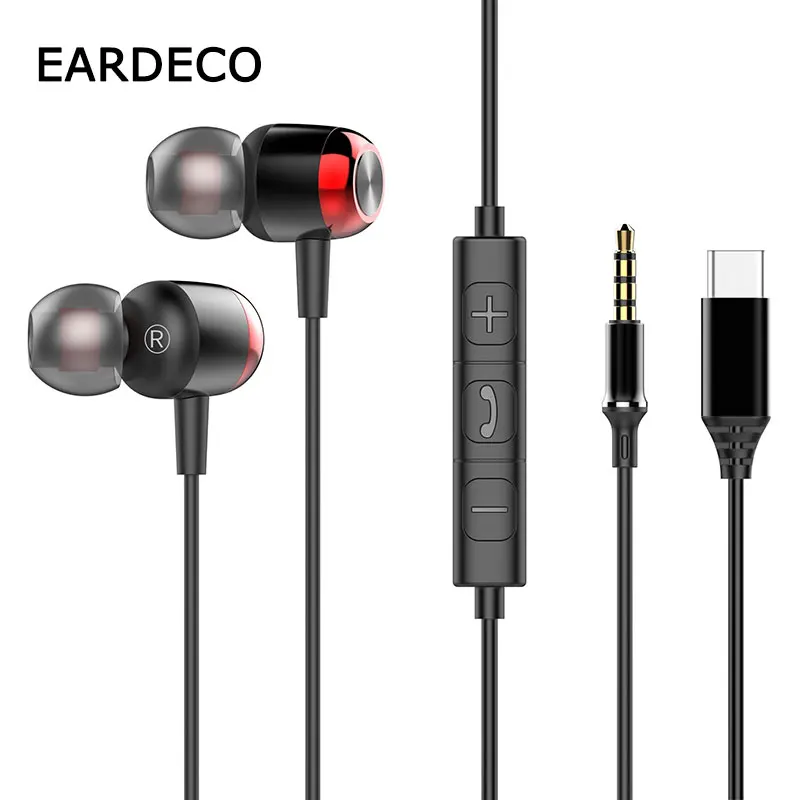
- Beware of cheap third-party cases that may not charge or pair correctly.
- If the earbuds still work, you can often buy a replacement case and re-pair them.
When deciding whether to replace, weigh cost, convenience, and how often you lose small items. This helps you act smart when you cannot find the case.
Personal experience and practical lessons
I’ve helped friends and clients locate many small devices. A few simple habits cut lost-item time by half.
- Regularly keep earbuds in the same pocket or pouch to build a habit.
- Use a labeled sticker or a small loop to add a visible anchor to the case.
- Consider attaching a tiny tracker or keyring to the case if you misplace items often.
- Mistake to avoid: scanning only the obvious spots. I once missed earbuds in a gym bag zipper until I turned the bag inside out.
If you wonder how to find samsung earbuds case next time, prevention beats recovery. Simple routines and small add-ons save many headaches.
Frequently Asked Questions of how to find samsung earbuds case
How can SmartThings Find help me locate my case?
SmartThings Find shows the last known location and helps you play a sound if the earbuds are in the case and reachable. It uses Samsung account data to give an approximate position and time stamp.
What if the earbuds case has no power and won't show on the app?
If the case has no power, SmartThings can only show the last seen location. Check Bluetooth history, retrace recent routes, and call places you visited.
Can I make the case play a sound to find it?
The case itself usually does not play sound, but if the earbuds are inside and have charge, you can use the app to play tone signals. Playing sound works only when the earbuds have battery and are connected.
Are third-party replacement cases safe for Samsung earbuds?
Some third-party cases work, but they may not charge or pair reliably. Stick with official or well-reviewed replacements and confirm model compatibility.
How often should I check pairing and case charge to avoid loss?
Check the case charge weekly and pair status monthly as part of simple device care. Consistent checks reduce surprises and make recovery easier if you do misplace it.
Conclusion
Finding a lost Samsung earbuds case is a mix of digital checks, a calm physical search, and smart follow-up choices. Use SmartThings Find first, scan Bluetooth history, then search methodically at home and in recent places. If the case is truly gone, choose an official replacement and adopt small habits to prevent repeats.
Take action now: run the app, retrace your most recent steps, and set a habit to keep your case in the same spot. If this guide helped, leave a comment with your found-item story or subscribe for more practical tech tips.

Everett Ashford is a tech reviewer at mytechgrid.com specializing in SSDs, cameras, TVs, earbuds, headphones, and other consumer electronics. He provides honest, data-driven reviews based on hands-on testing and real-world performance analysis. Everett simplifies complex tech details to help readers make smart, confident buying decisions.