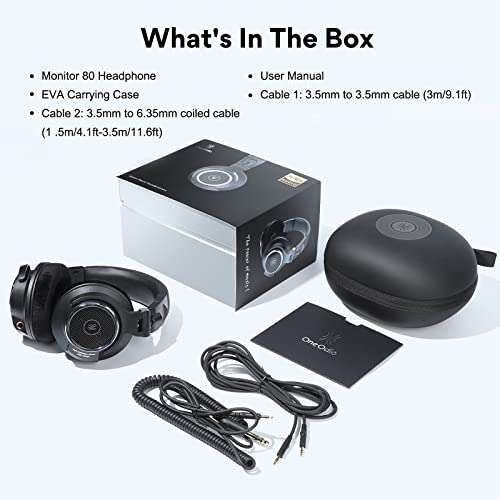
Use EQ, improve the seal, and check your source device before changing headphones or adding more volume.
Learning how to increase headphone bass is often less about buying new gear and more about fixing setup issues. A weak ear seal, poor EQ settings, low-quality audio files, or a phone’s sound limits can all make bass feel thin. This guide explains safe, practical ways to get deeper bass while keeping vocals clear, avoiding distortion, and protecting your hearing.

What Affects Headphone Bass?
Bass is the low part of the sound range. It includes the kick of a drum, the rumble of a movie scene, and the deep notes of a bass guitar. Most bass energy sits roughly between 20 and 250 Hz, although the exact range depends on the audio and the headphones.
Several factors affect how much bass you hear:
• Headphone design: Closed-back headphones often create more physical impact than open-back models.
• Ear seal: A small gap around an earbud or ear cup can remove much of the low-end sound.
• Driver response: Headphone drivers have different strengths and limits.
• Equalizer settings: EQ can raise selected bass frequencies.
• Audio quality: A poor recording may have weak or muddy low frequencies.
• Source device: Phones, laptops, amplifiers, and Bluetooth codecs can produce different results.
• Fit and comfort: Headphones that sit too loosely may not deliver full bass.
Bass does not always mean loudness. Good bass should sound deep, controlled, and clean. If the bass covers vocals or produces a buzzing sound, the setting is too strong or the headphones are reaching their limit.

How to Increase Headphone Bass With EQ
Equalization is usually the fastest way to increase headphone bass. An EQ lets you raise or lower specific frequency bands instead of turning up the entire track.
Start with a small boost. Try these settings:
• 60 Hz: Add 2 to 4 dB for deeper rumble.
• 100 Hz: Add 1 to 3 dB for punch and warmth.
• 200 Hz: Add 0 to 2 dB if the sound feels thin, but reduce this band if the audio becomes muddy.
Avoid pushing every bass slider to the maximum. A large boost can cause clipping, distortion, and driver stress. It can also make music sound less natural.
Use a Parametric EQ
A parametric EQ gives you more control than a basic graphic EQ. You can set a low-shelf filter around 80 or 100 Hz and raise it by 2 to 4 dB. Keep the Q value moderate so the boost sounds smooth rather than narrow and artificial.
A simple starting point is:
- Add a low-shelf filter at 80 Hz.
- Set the gain to +3 dB.
- Use a Q value near 0.7.
- Lower the preamp by 3 dB.
- Listen to several songs.
- Reduce the boost if you hear crackling or harshness.
Lowering the preamp matters because EQ boosts can push the signal above the device’s maximum level. This creates clipping before the headphones even receive the sound.
When learning how to increase headphone bass, use familiar music. A song with clean drums, a steady bass line, and clear vocals makes changes easier to judge. I recommend comparing the EQ on and off at the same volume. Louder sound often seems better, even when it is only louder.

How to Increase Headphone Bass on iPhone, Android, and Computers
The steps vary by device and app. Many music services offer a built-in equalizer, while some phones place audio controls in the system settings.
iPhone and iPad
Apple devices may offer sound controls through supported music apps, accessibility settings, or third-party EQ apps. Apple Music includes preset options, but the available controls can vary by operating system and app.
Try these steps:
- Open the music app’s audio settings.
- Look for Equalizer, EQ, or Playback.
- Choose a bass-focused preset first.
- Test the result with different tracks.
- Turn off sound enhancements that make the mix muddy.
Some apps do not allow system-wide EQ control. In that case, the app’s own settings may be the only option without using additional software.
Android phones
Android settings differ by brand. Look under Sound, Audio Effects, Dolby Atmos, Adapt Sound, or Equalizer. Samsung, Sony, Google, and other brands may use different names.
Start with a gentle bass boost. Avoid combining several bass effects at once. For example, a phone’s bass mode plus a music app’s bass boost can create distortion quickly.
Windows and Mac computers
On Windows, check the sound device properties, manufacturer software, or your music player. Some computers include audio tools from the headphone or sound card maker.
On a Mac, many music apps include EQ controls. You can also use compatible audio software for system-wide adjustments. Make sure only one main EQ is active while testing. Multiple sound processors make it hard to know which setting causes a problem.
The most reliable method is to make one change at a time. This makes it easier to learn how to increase headphone bass without losing control of the rest of the mix.
Check the Fit and Seal Before Changing EQ
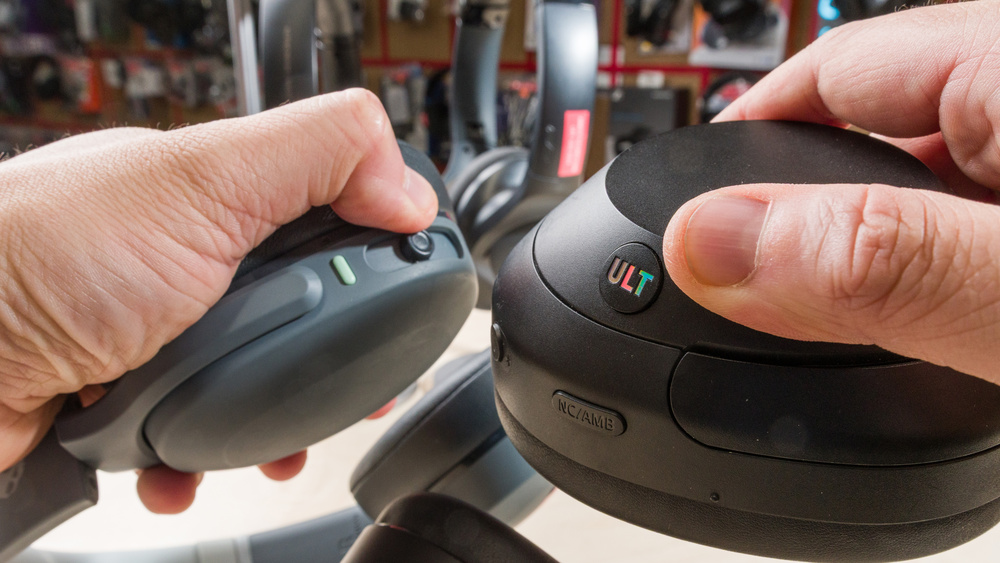
A poor seal is one of the most common reasons headphones sound weak in the bass. This issue is especially common with in-ear headphones and closed-back models.
For earbuds, try different ear tips. Foam tips can create a stronger seal than silicone tips, but they may feel warmer and need more frequent replacement. The correct tip should feel secure without causing pain.
For over-ear headphones, check the ear pads. Worn foam, cracked leather, or flattened cushions can create gaps. Replacing the pads may restore bass more effectively than using a heavy EQ boost.
Try this simple test:
- Play a song with a steady bass line.
- Press the ear cups gently against your head.
- Listen for a change in low-end strength.
- If the bass improves, the fit or seal needs attention.
Do not cover headphone vents unless the manufacturer designed them for that purpose. Blocking vents can change the tuning in unwanted ways and may increase pressure or distortion.
Glasses can also affect the seal of over-ear headphones. Thick frames may create small gaps near the temples. Adjusting the headband or using softer pads can help.

How to Increase Headphone Bass With Headphone Placement
Placement matters more than many people expect. Earbuds should point toward the ear canal, while over-ear cups should sit evenly around both ears.
For earbuds, rotate each unit slightly until the bass becomes fuller. Do not push them too far into the ear. A secure fit should not cause pain or pressure.
For over-ear headphones:
• Center each ear inside the cup.
• Keep the headband balanced.
• Make sure both ear cups press evenly.
• Check that the pads touch the head around the full seal.
On-ear headphones may produce less bass because they sit on the outer ear instead of surrounding it. They can still sound good, but their low-end response depends heavily on fit and pad pressure.
During testing, I have found that moving a headphone cup by only a small amount can change the sound. This is why I always check placement before changing EQ. It is a simple fix, and it does not add distortion.
Use Better Audio Sources and Playback Settings
Your headphones cannot restore bass that is missing from the recording. If a song has a weak mix, EQ may increase low frequencies, but it cannot recreate detail that was never recorded.
Use high-quality audio when possible. Lossless files are useful for testing, although a well-encoded high-bitrate file can also sound excellent. Streaming quality settings may default to a lower level to save data.
Check these settings:
• Streaming quality: Choose a higher quality level on Wi-Fi if your service supports it.
• Volume normalization: Test with it on and off, since it can change perceived impact.
• Audio enhancements: Disable effects that create echo, wideness, or artificial bass.
• Bluetooth mode: Use a quality codec supported by both the phone and headphones.
• Mono audio: Make sure it is off unless you need it for accessibility.
Bluetooth itself does not always mean weak bass. Modern Bluetooth headphones can deliver strong low-end sound. However, poor tuning, signal processing, or aggressive device limits may affect the result.
If bass disappears only when using one app, the app’s settings are likely responsible. Test the same headphones with another source before assuming the hardware is faulty.

How to Increase Headphone Bass Without Distortion
The safest approach is a small boost with enough headroom. Headroom is the space between the current audio level and the maximum level the system can handle.
When you boost bass, lower the EQ preamp by the same amount. For example, if you add 4 dB of bass, lower the preamp by about 4 dB. This reduces the chance of digital clipping.
Watch for these warning signs:
• Crackling during kick drums
• Fuzzy or rough bass notes
• Vocals that sound buried
• A pumping or unstable sound
• Rattling from the headphone driver
• Bass that changes sharply at higher volume
If you hear these issues, reduce the bass boost and lower the listening volume. More bass is not always better bass. Clean, controlled bass feels powerful because it has shape and timing, not just volume.
Some headphones have a physical limit. A small driver cannot produce unlimited deep bass without moving beyond its comfortable range. An amplifier may improve volume and control in some cases, but it cannot turn every headphone into a subwoofer.
Should You Use a Headphone Amplifier?
A headphone amplifier can help when your headphones are difficult to drive. This is more common with high-impedance or low-sensitivity models. Signs include low maximum volume, weak dynamics, or a sound that changes when connected to a stronger source.
However, an amplifier is not a guaranteed bass upgrade. If your headphones already reach a comfortable volume, an amplifier may produce little audible change. The headphone’s design and EQ profile usually matter more.
Before buying an amplifier:
- Check the headphone impedance.
- Check its sensitivity.
- Test a different source if possible.
- Confirm that the current device cannot reach your preferred volume.
- Avoid buying based only on claims about “more powerful bass.”
A good amplifier should have a low output impedance and enough power for the headphones. Poor matching can affect frequency response, especially with some low-impedance models.
For most everyday earbuds and wireless headphones, correct fit and EQ offer better value than adding an amplifier.
Try Headphone Pads and Hardware Changes Carefully
Replacing ear pads can change bass, comfort, and sound balance. Thicker pads may increase the distance between your ears and the drivers. Softer pads may improve the seal. Perforated pads may reduce bass compared with solid pads.
Use replacement pads made for your headphone model. Universal pads may fit poorly or alter the sound in ways you do not expect.
Avoid opening headphones or modifying vents unless you understand the design. Physical changes can damage the driver, reduce safety, or cancel the warranty. They can also make the sound less balanced.
A useful upgrade path is:
• Improve the fit.
• Replace worn pads or ear tips.
• Adjust EQ.
• Test a different source.
• Consider new headphones only after these steps.
This order saves money and helps you identify the real cause of weak bass.
Protect Your Hearing While Increasing Bass
Bass can feel less harsh than treble, but loud sound at any frequency can damage hearing. The risk depends on both volume and listening time. Sound exposure standards often use an 85 dBA reference for an eight-hour workday, with shorter safe times as volume rises.
Your phone’s volume percentage is not the same as decibels. Headphone sensitivity, fit, and the recording all affect actual sound pressure. Use a volume limit when available, and take regular breaks.
Follow these habits:
• Keep the volume at the lowest level that feels clear.
• Take a quiet break every hour.
• Avoid using strong EQ as a reason to turn the volume higher.
• Stop if you hear ringing, muffled sound, or discomfort.
• Use noise cancellation in loud places so you do not increase volume to cover outside noise.
Noise-canceling headphones can make bass seem stronger because outside noise no longer masks it. This is often a safer improvement than simply raising the volume.
Common Mistakes to Avoid
Many bass problems come from simple setup mistakes. Avoid these common errors:
• Maxing out every EQ band: This creates muddy sound and clipping.
• Raising volume instead of using EQ: Louder sound can damage hearing without fixing weak bass.
• Using several bass boosters at once: Stacked effects can distort the signal.
• Ignoring the ear seal: A poor fit can cancel low frequencies.
• Blaming the headphones too soon: Test another app, device, and audio track first.
• Using damaged pads or tips: Worn parts can change the sound and reduce comfort.
• Expecting an amplifier to fix poor tuning: Power cannot replace a balanced headphone design.
• Testing with only one song: A bass-heavy track may hide problems in vocals or instruments.
Use several types of music during testing. Try hip-hop, electronic music, rock, acoustic tracks, podcasts, and movie scenes. Good bass should add weight without making every source sound boomy.
A Simple Bass Tuning Method
If you want a quick and repeatable method, use this process:
- Reset all EQ and sound effects.
- Check the ear tips, pads, and headphone position.
- Play a familiar song at a safe volume.
- Add a low-shelf boost of 2 dB.
- Lower the preamp by 2 dB.
- Listen for distortion and muddy vocals.
- Increase the boost by 1 dB only if needed.
- Test at least five different tracks.
- Save the setting as a custom profile.
- Compare it with the original sound the next day.
Your ears adapt quickly. A setting that sounds exciting after five minutes may sound tiring after an hour. Short breaks help you judge the change more accurately.
When helping friends learn how to increase headphone bass, I usually suggest stopping at the first setting that sounds full and clean. Chasing maximum bass often leads to a less enjoyable sound.
Frequently Asked Questions About How to Increase Headphone Bass
How can I increase headphone bass without an app?
Improve the ear seal, adjust the headphone position, replace worn pads, and use a device with built-in bass controls. These steps can add perceived bass without software.
Does increasing bass damage headphones?
A small EQ boost usually does not harm modern headphones when used at a safe volume. Extreme boosts combined with high volume can cause distortion and may stress the drivers.
Why do my headphones have no bass?
The most common causes are a poor seal, incorrect fit, weak source settings, damaged ear pads, or a headphone tuning that reduces low frequencies. Test another device and track before replacing the headphones.
Is bass boost better than an equalizer?
Bass boost is simpler, while an equalizer gives you more control. A gentle low-shelf EQ often sounds cleaner because you can adjust the amount and protect the rest of the frequency range.
Can a headphone amplifier add more bass?
An amplifier may help headphones that lack enough power, but it cannot change their basic tuning in a reliable way. Fit, EQ, and headphone design usually have a greater effect.
Does noise cancellation increase bass?
Noise cancellation may make bass seem stronger because it reduces outside noise. It does not always add low-frequency output, but it can make music sound fuller in a noisy place.
What is the best EQ setting for bass?
There is no single best setting for every headphone or listener. Start with a 2 to 4 dB boost around 60 to 100 Hz, lower the preamp, and adjust by ear.
Conclusion
The best way to increase headphone bass is to start with the basics: check the seal, improve placement, use a gentle EQ boost, and keep enough headroom to prevent clipping. Better audio quality, fresh ear pads, and the right source can also make a clear difference.
Avoid extreme boosts and high volume. Strong bass should feel deep and controlled, not muddy or painful. Try the tuning method above with a few favorite tracks, save the setting that sounds natural, and share your results or questions in the comments.

Everett Ashford is a tech reviewer at mytechgrid.com specializing in SSDs, cameras, TVs, earbuds, headphones, and other consumer electronics. He provides honest, data-driven reviews based on hands-on testing and real-world performance analysis. Everett simplifies complex tech details to help readers make smart, confident buying decisions.