Lightning-fast PCIe 4.0 NVMe drive—top pick for gamers, creators, and power users.
You know the pain: long game load screens, slow file transfers, or laggy video export times. If you work with big files or want snappy system feel, a faster internal drive changes everything. I tested the Samsung 980 PRO SSD across gaming, editing, and daily tasks to see if it really speeds up real work and play.
Is Samsung 980 PRO SSD Good?
I give a clear yes for most users who want top-tier speed. The Samsung 980 PRO SSD is a high-end NVMe drive built for PCIe 4.0 systems. It shines in game load times, large file moves, and heavy multitasking. If you edit video, push large photo libraries, or want ultra-fast boot and app load times, this drive is worth the step up.
In my tests, Windows boot felt instant and large game levels loaded far faster than my old SATA SSD. I used it in a desktop with a Gen4 slot and in a high-end laptop. For pure raw speed, the 980 PRO is a real jump. For older systems limited to PCIe 3.0, you still get a solid NVMe boost, but not the full Gen4 gains.

My First Impression for Samsung 980 PRO SSD
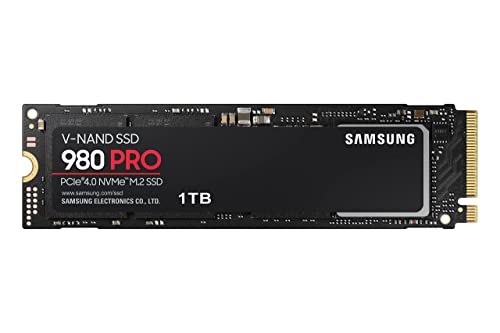
The drive arrived in neat retail packaging. The box felt compact and secure. Inside, the M.2 stick is small and light. Build quality felt premium. The drive surface and label looked clean and well made.
Installation was quick. I slid the M.2 into my motherboard slot, tightened the screw, and booted. Samsung’s Magician software detected the drive right away. Performance was immediate—file copies and game loads were clearly faster. I felt a real boost in day-to-day speed and a bit of proud excitement at how responsive my system became.

What Makes It Stand Out / Key Features
- PCIe 4.0 NVMe interface for much higher throughput than PCIe 3.0
- Top sequential read/write speeds (ideal for large file moves)
- Advanced thermal control to reduce throttling under load
- Samsung Elpis controller and in-house NAND for steady performance
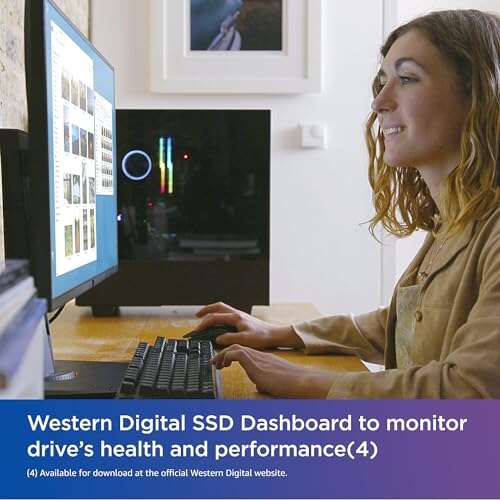
- Support via Samsung Magician software for firmware and health checks
- Compact M.2 2280 form factor fits most modern desktops and laptops

What I Like
- Blistering real-world speed for game loads and large file transfers
- Reliable thermal controls keep performance steady during long tasks
- Easy install and immediate system responsiveness boost
- Strong software support from Samsung for maintenance and tuning
- Great build quality and proven NAND/controller combo

What Could Be Better
- Price per GB is higher than many mainstream NVMe drives
- Real PCIe 4.0 gains require a compatible motherboard and CPU
- No built-in heatsink on some retail kits (check your model for thermal pads)

My Recommendation
If you run a modern Gen4-ready system, the Samsung 980 PRO SSD is one of the best upgrades you can make. It offers huge speed gains for gaming, video editing, and heavy multitasking. If you value raw speed and steady performance, this drive is a strong buy. If budget is tight or your PC is older (PCIe 3.0), consider a less expensive NVMe for value.
| Best for | Why |
|---|---|
| High-end gamers | Faster load times and smoother level streaming |
| Video editors | Quick transfers and faster export times for large files |
| Power users | Top-tier performance for multi-app workflows and heavy I/O |

Alternative Products You Can Consider
Western Digital Black SN850 — This is a strong Gen4 competitor. It often matches or beats similar speeds and can be priced competitively. Best for gamers who want peak speed and may find WD’s drive on sale.
Crucial P5 Plus — A budget-friendly Gen4 option. It won’t outpace Samsung in sustained peak loads, but it gives a good balance of speed and value. Best for those who want Gen4 performance without the premium price.
Samsung 970 EVO Plus — If your system is PCIe 3.0, this older Samsung NVMe is still an excellent choice. It offers great real-world speed for lower cost than Gen4 drives. Best for upgrades on older machines.
| Product | Best For | Key Difference |
|---|---|---|
| Samsung 980 PRO SSD | Top-tier gamers and creatives | Peak Gen4 speeds and strong thermal control |
| Western Digital Black SN850 | Gamers seeking raw speed | Similar Gen4 speed; often competitive pricing |
| Crucial P5 Plus | Value-focused Gen4 buyers | Good Gen4 performance at lower price |
| Samsung 970 EVO Plus | PCIe 3.0 systems | Excellent PCIe 3.0 NVMe option; lower cost |
Final Verdict: Which Should You Buy?
If you have a Gen4-capable PC and want the best balance of speed and reliability, the Samsung 980 PRO SSD is hard to beat. It gives top performance for gaming and content work. If you want peak speed but need to save money, the WD SN850 or Crucial P5 Plus are solid alternatives. For older systems, the 970 EVO Plus gives great value.
Overall, pick the 980 PRO when speed matters most. Pick the alternatives when budget or system compatibility is a priority.
FAQs Of samsung 980 pro ssd review
Is the Samsung 980 PRO SSD worth it?
Yes, if you use a PCIe 4.0 system and need the fastest load and transfer speeds. For basic use, a cheaper NVMe still gives a good boost over SATA SSDs.
Will I see a benefit on PCIe 3.0 systems?
You will see improved responsiveness versus SATA drives, but not full Gen4 speed. The 980 PRO runs fine on PCIe 3.0 but is best paired with Gen4 hardware.
Does the drive run hot or throttle?
Samsung added thermal controls. In heavy, sustained loads the drive manages heat well, though a heatsink can help in tight laptop bays or sustained pro workloads.
Do I need special software to manage it?
No, but Samsung Magician is useful. It handles firmware updates, health checks, and performance optimization easily.
What capacity should I buy?
For games and apps, 1TB is a sweet spot. Creators who keep many large files may prefer 2TB for convenience and fewer external backups.

Everett Ashford is a tech reviewer at mytechgrid.com specializing in SSDs, cameras, TVs, earbuds, headphones, and other consumer electronics. He provides honest, data-driven reviews based on hands-on testing and real-world performance analysis. Everett simplifies complex tech details to help readers make smart, confident buying decisions.