The best places to buy a cheap laptop are trusted retailers, manufacturer outlets, and carefully checked refurbished marketplaces.
Knowing where to buy a cheap laptop can save you more than money. It can help you avoid weak batteries, hidden damage, short warranties, and systems that become slow after a few months. I have compared new, used, and refurbished laptops for work, school, travel, and home use, and the best deal is not always the lowest listed price. This guide explains where to shop, what to check, and how to choose a dependable laptop without overspending.
The best places to buy a cheap laptop
The right place depends on your budget, comfort with used technology, and the work you need the laptop to handle. A $250 Chromebook may be ideal for school, while a $400 refurbished business laptop may offer better speed and durability.
When deciding where to buy a cheap laptop, start with sellers that clearly show the device’s condition, return policy, warranty, and technical details.
Major electronics retailers
Large retailers are often a safe choice for new budget laptops. They usually offer clear return rules, customer support, and frequent sales.
Common options include:
• Best Buy
• Walmart
• Target
• Costco
• Staples
• Office Depot
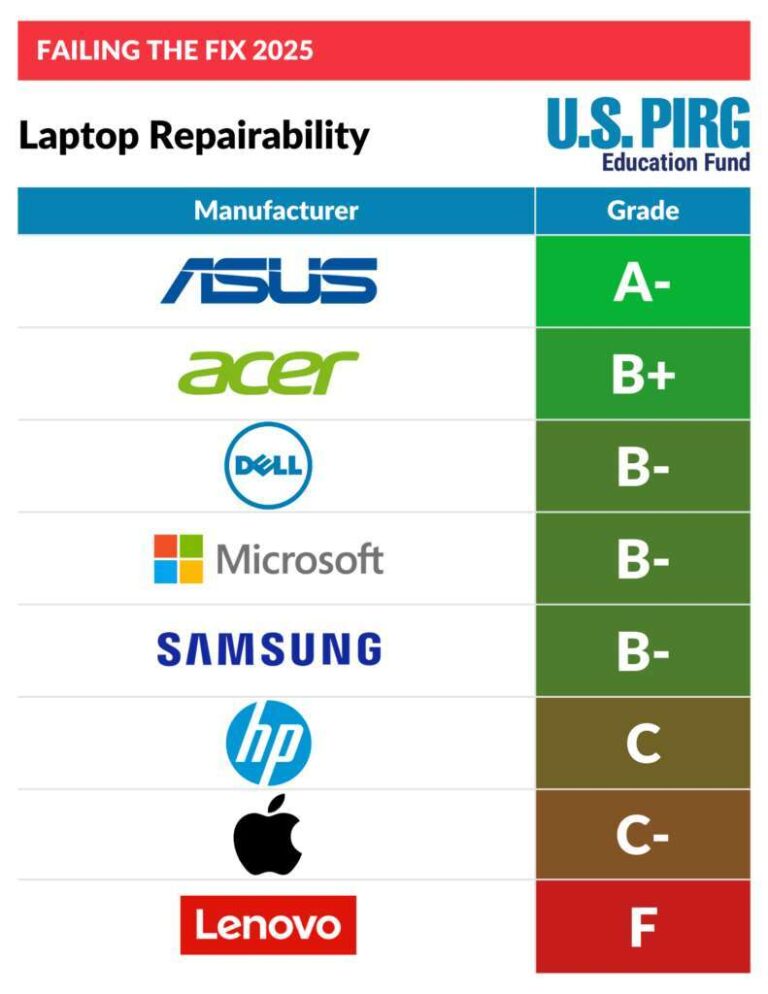
These stores often sell entry-level laptops from Acer, ASUS, Lenovo, HP, and Dell. Their prices may be slightly higher than private sellers, but the added return protection can be worth it.
Manufacturer websites
Buying directly from a manufacturer is another strong answer to where to buy a cheap laptop. Dell, Lenovo, HP, Acer, and ASUS often run discounts on older models, student laptops, and refurbished systems.
Manufacturer stores may also offer:
• Custom memory and storage choices
• Better warranty options
• Clearance pricing
• Student and teacher discounts
• Certified refurbished devices
Check the final price after shipping, taxes, and optional support plans. A laptop that looks cheap at first may cost more after extras are added.
Certified refurbished stores
Refurbished laptops can offer excellent value. They are usually returned, repaired, tested, and resold. Some come from the manufacturer, while others are processed by a third-party refurbisher.
Look for a written warranty of at least 90 days. A one-year warranty is better. The listing should also state the battery condition, charger details, cosmetic grade, and return period.

Where to buy a cheap laptop online
Online shopping gives you more choices than a local store. It also makes it easier to compare processor types, screen sizes, memory, storage, and customer reviews.
Still, online listings can hide important details. Read the full product description instead of relying only on the product title or photos.
Amazon and large online marketplaces
Large marketplaces offer new, used, and refurbished laptops. They can be useful when the seller has a strong rating and a clear return policy.
Before ordering, check:
• The seller’s rating and number of sales
• Whether the laptop is new, used, or renewed
• The exact processor model
• The amount of RAM and storage
• The operating system
• The return window
• The warranty provider
A marketplace price may look attractive, but some listings use vague terms such as “fast laptop” or “high performance.” These words do not tell you much. Always look for exact specifications.
eBay
eBay can be one of the best answers to where to buy a cheap laptop if you know how to compare listings. Business-class laptops from Lenovo ThinkPad, Dell Latitude, and HP EliteBook lines often sell for reasonable prices after a few years of business use.
Choose listings that include:
• Real photos of the exact laptop
• A clear description of defects
• A working battery statement
• The original or compatible charger
• A return option
• A seller with strong recent feedback
Avoid listings that say “untested,” “for parts,” or “no returns” unless you are comfortable repairing computers.
Local marketplaces
Facebook Marketplace, Craigslist, and local resale groups can offer low prices. You may also be able to test the laptop before paying.
Meet in a public place. Turn on the laptop, connect to Wi-Fi, check the keyboard, test the ports, and confirm that the device is not locked to another person’s account. Never rush because the seller claims another buyer is waiting.
Refurbished business laptop websites
Specialized refurbishers often sell older business laptops at fair prices. These laptops may have plain designs, but they are often built for daily office use.
A refurbished ThinkPad, Latitude, or EliteBook may have:
• A stronger frame
• A more comfortable keyboard
• Better port selection
• Easier repair access
• A replaceable battery on some models
The downside is that older systems may have shorter battery life and fewer modern features. Check whether the laptop supports the operating system and software you need.

New, used, or refurbished: Which is cheapest?
The cheapest laptop is not always the one with the lowest price. A new laptop may cost more at checkout but include a full warranty. A used laptop may cost less but need a battery or charger soon after purchase.
Here is a simple comparison:
| Type | Main benefit | Main risk |
|---|---|---|
| New | Full warranty and unused parts | Lower performance at very low prices |
| Refurbished | Better hardware for the money | Battery wear or cosmetic marks |
| Used | Lowest possible price | Hidden damage and limited support |
| Chromebook | Simple, low-cost computing | Limited software compatibility |
New laptops
New laptops are best for buyers who want simple support and low risk. They are also a good choice for children, students, and people who do not want to troubleshoot hardware.
Try to avoid very old new stock. A laptop may be unused but still use an outdated processor, small storage drive, or poor-quality display.
Refurbished laptops
Refurbished systems often provide the best balance of price and quality. A business laptop that originally cost over $1,000 may sell for a fraction of that price after several years.
Ask these questions before buying:
• Who refurbished the laptop?
• Was the battery tested?
• Is the charger included?
• What does the warranty cover?
• Can you return it if the battery is weak?
Used laptops
Used laptops can be excellent deals when purchased from someone you trust. They are less predictable than refurbished products, though.
I once saw a used laptop listed at a very low price. It looked clean and started quickly, but the battery lasted less than an hour. Replacing it changed the real cost of the deal. That experience reinforced a simple lesson: inspect the total condition, not just the outside case.
Chromebooks
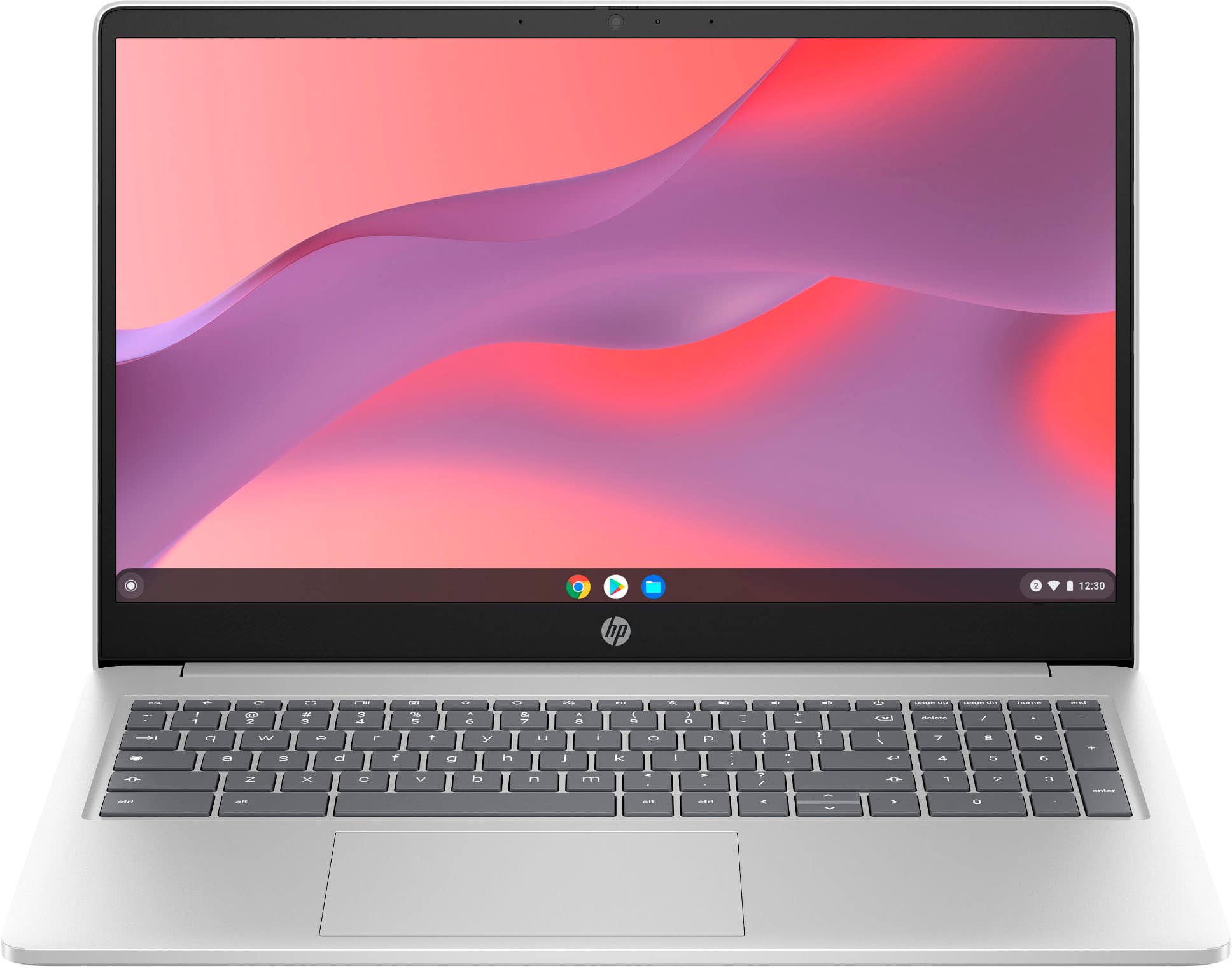
Chromebooks run ChromeOS and work well for web browsing, email, video calls, online classes, and Google Workspace. They often cost less than Windows laptops.
Their main limit is software support. Many Windows programs, advanced games, and professional applications will not run normally on a Chromebook. Check the device’s automatic update expiration date before buying.

What to look for in a cheap laptop
A low price does not make a laptop a good deal. The internal parts matter more than the brand name or the appearance.
Processor
The processor controls how quickly the laptop handles tasks. For basic use, look for a recent Intel Core i3, AMD Ryzen 3, Intel N-series chip, or similar modern processor.
For better multitasking, choose an Intel Core i5 or AMD Ryzen 5 when your budget allows. Be careful with old processors that have familiar names but are several generations behind.
RAM
RAM affects how many apps and browser tabs can stay open smoothly.
• 4GB: Suitable only for very light use
• 8GB: A practical minimum for most people
• 16GB: Better for multitasking, editing, and long-term use
For a Windows laptop, 8GB is usually a better target than 4GB. Some inexpensive laptops cannot upgrade their RAM later, so check before purchasing.
Storage
A solid-state drive, or SSD, makes a laptop feel faster than an older hard disk drive. It improves startup times, app loading, and file access.
Choose:
• 128GB SSD for basic work
• 256GB SSD for school, office work, and general use
• 512GB SSD for large files, photos, and creative projects
A 64GB drive can fill quickly after system updates. It may be acceptable for a simple Chromebook but is often too small for a Windows laptop.
Display
A 14-inch or 15.6-inch screen is comfortable for most people. Look for a Full HD resolution of 1920 by 1080 when possible.
Avoid very low-resolution displays if you read documents or use spreadsheets often. Also check brightness, viewing angles, and whether the screen is touch-enabled if that feature matters to you.
Battery
Battery health matters greatly when buying used or refurbished. Ask for an estimated battery life or battery health report.
A laptop may be technically functional but still be a poor choice if it lasts only 60 minutes away from a charger. For travel and college, battery condition may matter more than a small difference in processor speed.
Ports and wireless features
Check for the connections you use every day. A budget laptop should ideally include USB ports, Wi-Fi, Bluetooth, and a headphone jack.
You may also want:
• HDMI for an external monitor
• USB-C for charging or accessories
• An SD card slot
• Ethernet for a wired connection

How much should you spend on a cheap laptop?
Your budget should match your daily tasks. Spending too little can lead to slow performance, poor screens, and limited storage.
Under $200
At this price, focus on Chromebooks, older refurbished business laptops, and very basic Windows systems. These devices are best for email, web browsing, documents, and streaming.
Avoid expecting smooth gaming, advanced photo editing, or heavy multitasking.
$200 to $350
This range offers more practical choices. You may find a Chromebook with 8GB of RAM or a refurbished Windows laptop with a Core i5 or Ryzen 5 processor.
This is often the most useful price range for students and home users who need dependable basic performance.
$350 to $600
This budget can buy a new laptop with 8GB or 16GB of RAM, a 256GB or 512GB SSD, and a modern processor. You may also find a strong refurbished business laptop with a better build quality.
For many buyers, this range offers the best balance of speed, warranty, and useful life.
Above $600
You may not need to spend this much for basic tasks. However, the higher budget can provide a brighter display, longer battery life, stronger graphics, more storage, and better build quality.
Think about how long you want to keep the laptop. Paying more for a reliable system can reduce replacement costs later.

The safest way to buy a cheap laptop
Use a simple buying process. It reduces impulse decisions and helps you compare similar products fairly.
-
Write down your main tasks. Decide whether you need the laptop for school, office work, streaming, gaming, coding, or creative software.
-
Set a realistic budget. Include tax, shipping, a mouse, a case, and possible battery replacement costs.
-
Choose the operating system. Windows supports the widest range of software. ChromeOS is simple and affordable. macOS laptops are usually more expensive, even when used.
-
Compare exact specifications. Do not compare laptops by brand alone. Check the processor, RAM, SSD size, screen resolution, battery, and warranty.
-
Check the seller. Read recent reviews and look for clear policies. A good price from a poor seller can become an expensive mistake.
-
Review the return policy. Make sure you have enough time to test the laptop at home.
-
Test the device immediately. Check the battery, keyboard, trackpad, screen, speakers, camera, ports, Wi-Fi, and charger.
-
Update the system. Install operating system updates, security updates, and driver updates after you confirm that the laptop works properly.
This process may take 20 minutes, but it can protect you from weeks of frustration.

Common mistakes to avoid
Many cheap laptop problems come from rushed purchases. A few basic checks can prevent most of them.
Choosing by price alone
The lowest price may come with 4GB of RAM, 64GB of storage, or an outdated processor. Compare the full specification before deciding.
Trusting the word “renewed”
“Renewed” does not always mean the same thing across sellers. Read the condition notes, warranty terms, and battery policy.
Ignoring the operating system
A cheap Windows laptop may not run well if it has weak hardware. A low-cost Chromebook may be fast but unable to run your required Windows software.
Buying an old laptop with no support
Older laptops may not support the latest operating system or security features. Check compatibility before paying.
Forgetting the charger
Some used laptops do not include a charger. A replacement may cost more than expected, especially for USB-C or proprietary charging systems.
Overlooking account locks
Never buy a laptop that remains linked to another person’s Apple, Microsoft, Google, or management account. The seller must remove the account before you complete the purchase.
Skipping the return window
Even trusted sellers can make mistakes. A return policy gives you time to find problems that are not obvious in photos.
How to get an even lower price
Knowing where to buy a cheap laptop is useful, but smart timing can reduce the price further.
Shop during major sales
Prices often drop during back-to-school promotions, holiday sales, clearance events, and new product launches. Older models may become cheaper when a manufacturer releases an updated version.
Compare open-box products
Open-box laptops are often returned items that were not heavily used. They can offer a discount while still including store support.
Check the condition and warranty. Some open-box products are nearly new, while others may have missing accessories.
Look for student discounts
Students, teachers, and school staff may qualify for special prices. Some stores also offer trade-in credits or seasonal education deals.
Consider last year’s model
A laptop that is one generation old can still be powerful for everyday work. Newer does not always mean better value.
Use price tracking tools
Price history tools can show whether a “sale” is a real discount. They can also help you avoid buying just before a regular price drop.
Buy locally with care
A local sale may remove shipping costs and let you test the laptop. Meet safely, inspect the device, and pay only after confirming that everything works.
Is a cheap laptop good for work or school?
A cheap laptop can handle school and office work if it has enough memory, a solid-state drive, and a modern processor. For most users, 8GB of RAM and a 256GB SSD provide a comfortable starting point.
Cloud services can also reduce storage needs. Google Drive, OneDrive, and similar tools let you save files online, but you still need a stable internet connection for some tasks.
For video meetings, check the webcam and microphone. For students, keyboard comfort and battery life may matter more than a premium design.
For work that uses large spreadsheets, coding tools, video editing software, or many browser tabs, consider 16GB of RAM and a Core i5 or Ryzen 5 processor. A very cheap laptop may save money now but slow down your work every day.
Are cheap laptops safe to buy?
Cheap laptops are safe to buy when you use a trusted seller and inspect the device. Update the operating system, install security patches, and reset a used laptop before adding personal files.
For a used Windows laptop, use the built-in reset feature to remove the previous owner’s data. For a Mac, confirm that Activation Lock is disabled. For a Chromebook, ensure the former owner has removed the device from their account.
Security also depends on support. A laptop that no longer receives security updates should not be your first choice for banking, work, or personal data.
Frequently Asked Questions
Where is the best place to buy a cheap laptop?
Trusted electronics retailers, manufacturer outlets, and certified refurbished sellers are usually the safest choices. Online marketplaces can also work well when the seller has strong feedback, clear specifications, and a fair return policy.
Is it better to buy a refurbished laptop or a new cheap laptop?
A refurbished laptop often provides stronger hardware for the same price. A new cheap laptop offers a full warranty and unused parts, so choose it when simple support and lower risk matter most.
How much RAM should a cheap laptop have?
Choose at least 8GB of RAM for a Windows laptop used for school, work, browsing, or streaming. A 4GB system may work for light tasks but can feel slow with several apps open.
Is a Chromebook a good cheap laptop?
A Chromebook is a good choice for web browsing, online classes, email, streaming, and document work. It may not be suitable for Windows-only programs, advanced games, or professional creative software.
What processor is best in a cheap laptop?
Look for a recent Intel Core i3, Intel N-series, AMD Ryzen 3, or better processor for basic tasks. A Core i5 or Ryzen 5 is a stronger choice for multitasking and longer useful life.
What should I check when buying a used laptop?
Check the battery, screen, keyboard, trackpad, ports, camera, speakers, charger, Wi-Fi, and operating system. Also confirm that the laptop is not locked to the previous owner’s account.
Can a cheap laptop last for several years?
Yes, a well-chosen laptop can last several years if it has modern hardware, enough RAM, an SSD, and ongoing security updates. Good care, safe charging habits, and regular updates can also extend its useful life.
Conclusion
The best answer to where to buy a cheap laptop depends on your needs, budget, and comfort with used technology. Major retailers and manufacturer stores offer safer returns, while certified refurbished sellers and carefully checked marketplaces can provide more power for less money.
Focus on the processor, RAM, SSD, battery, screen, operating system, warranty, and return policy. Avoid choosing by price alone, and always test a used or refurbished laptop as soon as it arrives.
Use these tips to compare your next laptop with confidence, then explore trusted retailers and refurbished listings before making a purchase.

Everett Ashford is a tech reviewer at mytechgrid.com specializing in SSDs, cameras, TVs, earbuds, headphones, and other consumer electronics. He provides honest, data-driven reviews based on hands-on testing and real-world performance analysis. Everett simplifies complex tech details to help readers make smart, confident buying decisions.