Some Alexa devices have built-in cameras, but many Echo speakers do not.
The answer to “does Alexa have a camera” depends on the Echo model you own. Echo Show devices usually include cameras for video calls and home monitoring, while Echo Dot, Echo Pop, and most audio-only speakers do not. This guide explains how to check your device, use its camera safely, and protect your privacy.
Does Alexa have a camera?
Yes, some Alexa-enabled devices have cameras. The most common examples are Amazon Echo Show smart displays, which use cameras for video calls, Drop In, motion detection, and certain home monitoring features.
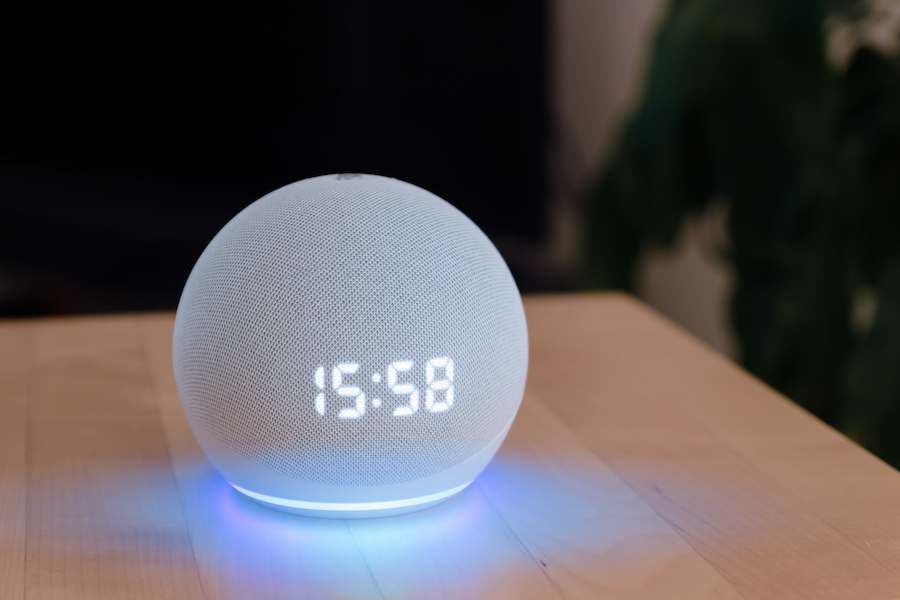
However, Alexa is not a camera by itself. Alexa is Amazon’s voice assistant. The camera is part of the hardware in selected devices, such as the Echo Show. An Echo Dot can respond to voice commands, but it has no screen or camera.
The easiest way to understand this is to separate Alexa from Echo devices:
• Alexa is the software assistant that answers questions and controls smart home devices.
• Echo is the hardware family that runs Alexa.
• Some Echo models have cameras, screens, speakers, or other sensors.
• Other Echo models are simple speakers with microphones only.
This means the answer to “does Alexa have a camera” is not the same for every Amazon device.
Which Alexa devices have cameras?
Most Echo Show models have built-in cameras. These devices are designed for video calls and visual features, so a camera is a key part of the design.
Common Echo devices with cameras include:
• Echo Show 5
• Echo Show 8
• Echo Show 10
• Echo Show 15
• Echo Show 21
Amazon has released several generations of these products. Camera features can vary by model and release year, so checking the exact product name is wise.
Some older Amazon products also had cameras. The Echo Look, for example, was a camera-based style device, but it has been discontinued. Because Amazon changes its product range, an older device may not have the same support as a current Echo Show.
A camera may also appear in some specialized Alexa products. Always check the product page, the box, or the device settings before buying or placing one in a private room.
Which Alexa devices do not have cameras?
Many popular Alexa speakers do not include cameras. These products focus on voice control and music rather than video.
Devices that generally do not have cameras include:
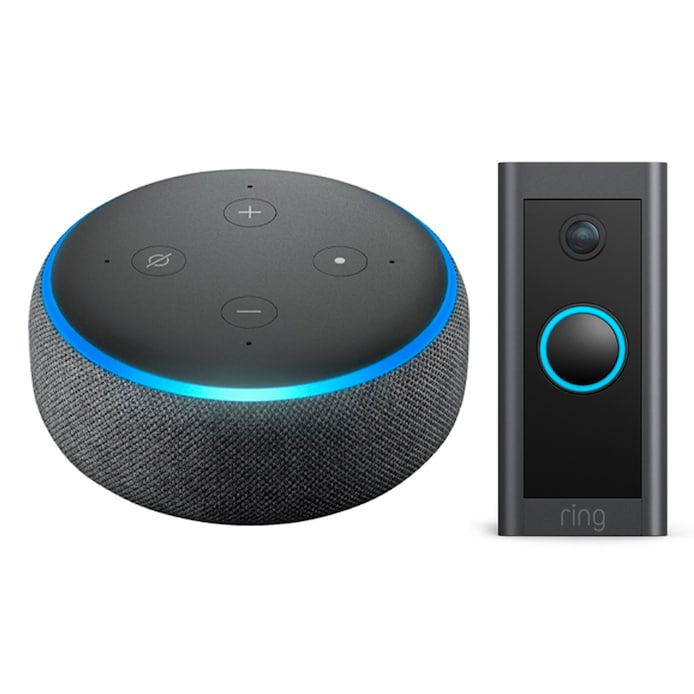
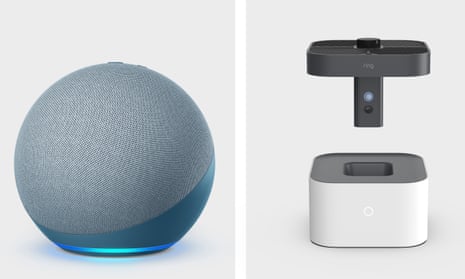
• Echo Dot
• Echo Pop
• Echo Studio
• Echo Auto
• Echo Flex
• Echo Input
• Echo Frames
• Echo Hub
The Echo Hub has a display and can control smart home devices, but it is not the same as an Echo Show and does not normally include a camera.
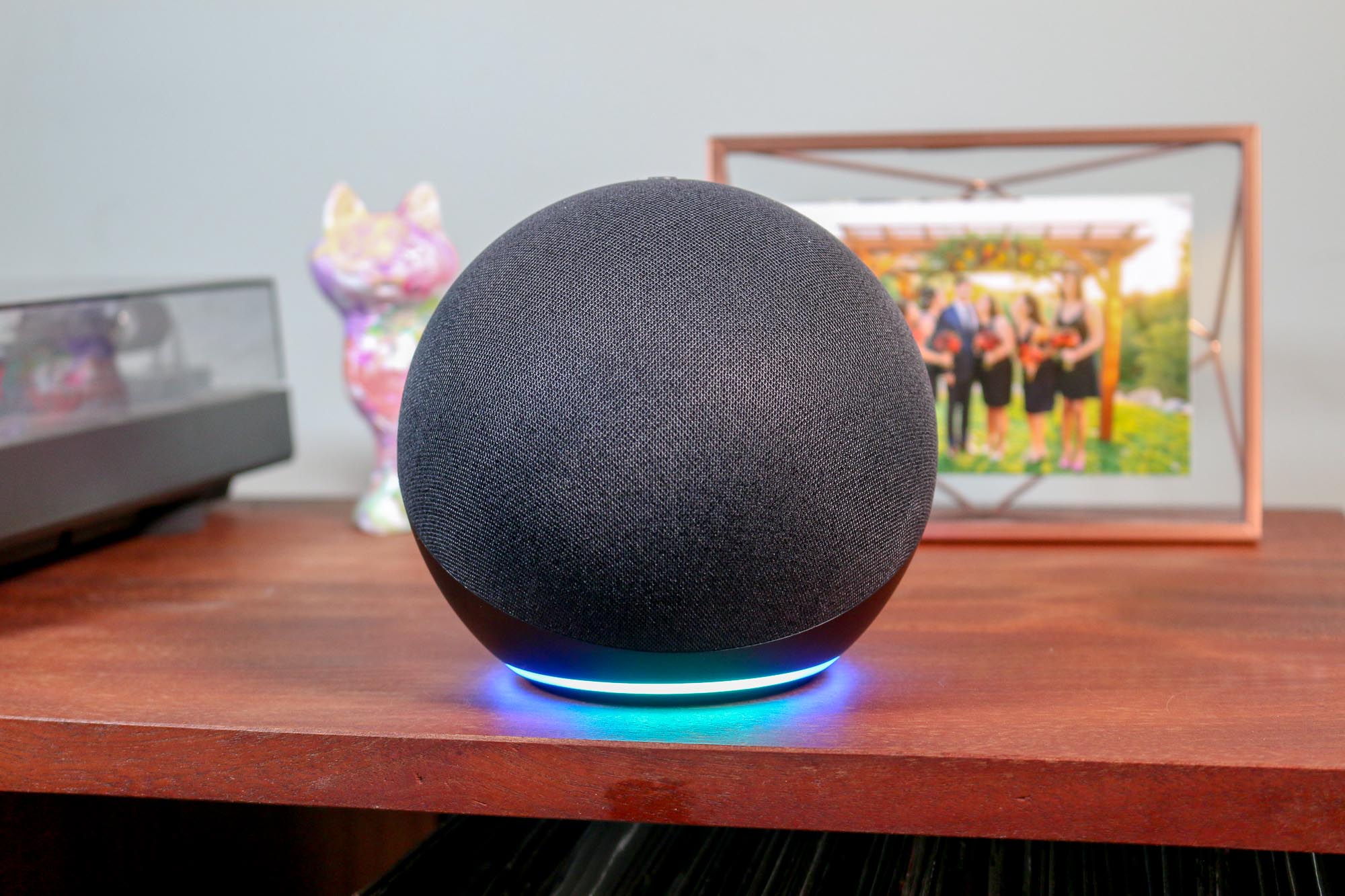
If your device has no display and is shaped like a small speaker, it probably does not have a camera. Still, the model name is the safest way to confirm.
How can you tell if your Alexa device has a camera?
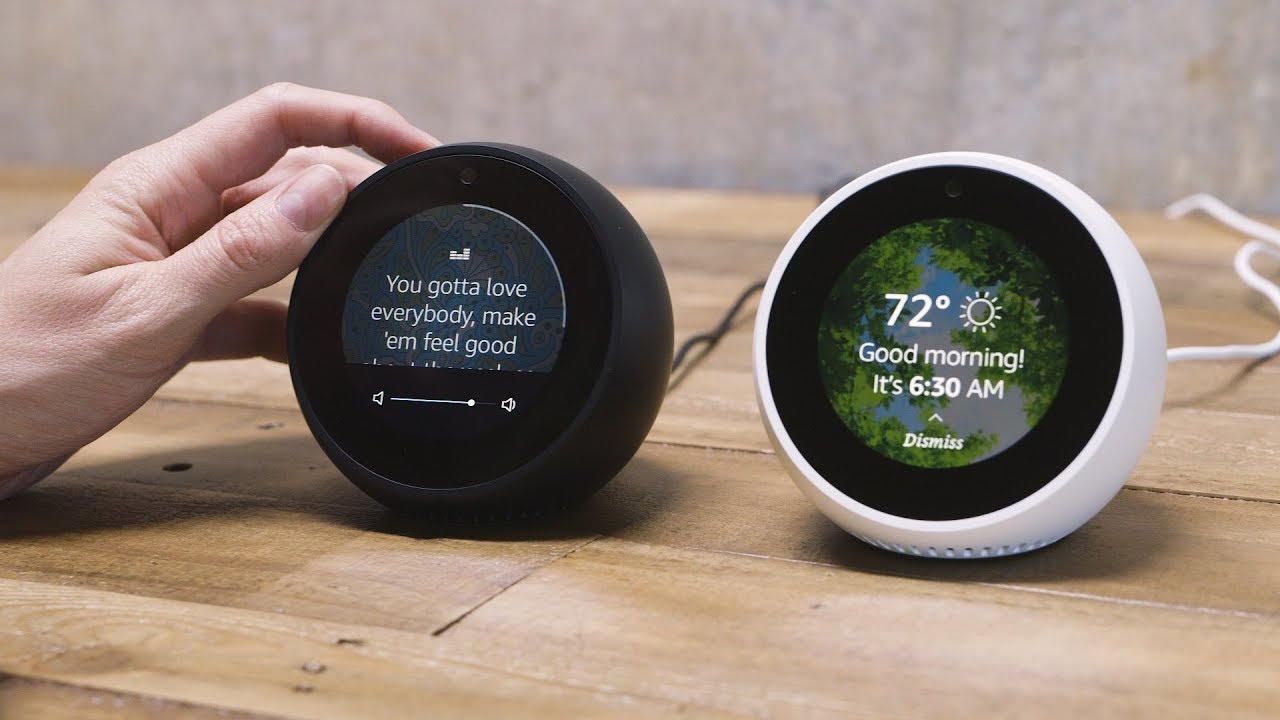
You can usually identify a camera by looking at the front of the device. On an Echo Show, the camera is a small lens above the screen.
Follow these steps:
-
Look at the top edge of the display.
-
Find a small round lens near the center or corner.
-
Look for a physical camera shutter.
-
Check whether the screen offers video calling or Drop In.
-
Open the Alexa app and review the device details.
A camera lens can be tiny, so it may look like a small black dot. Do not confuse the camera with the microphone openings. Microphones are often placed around the top or sides of the device, while the camera usually faces forward.
You can also ask Alexa to make a video call. If the device supports video calling, it almost certainly has a camera. This test is useful, but checking the exact model remains more reliable.
In hands-on device checks, one common mistake is assuming every Echo device works like an Echo Show. A small Echo speaker may have several microphones but no camera at all. The number of microphones does not tell you whether a camera is present.
What does the camera on an Echo Show do?
The camera on an Echo Show supports more than standard video calls. It turns the display into a basic communication and monitoring tool.
Video calls
You can use an Echo Show for video calls with compatible Alexa contacts. The person you call may use another Echo Show, the Alexa app, or a compatible device.
The camera sends your video during the call. You can usually turn the camera off while keeping the audio active, which is useful when you need privacy or want to step away.
Drop In
Drop In allows approved contacts to connect to an Echo device without a normal call process. It can be helpful for checking on family members in another room or speaking with someone at home.
Because Drop In can connect quickly, it deserves careful setup. Only allow trusted contacts, and review communication permissions in the Alexa app.
Home monitoring
Some Echo Show models support a home monitoring feature. This can let you view the camera feed from the Alexa app or another supported Echo Show.
This feature may help you check a pet, child’s play area, or front room. It is not a full security system, however. It may not offer the same storage, alerts, night vision, or professional monitoring found in dedicated security cameras.
Visual Alexa features
A camera can support features such as visual calling, motion-based actions, and some interactive experiences. Amazon may add or remove features through software updates, so functions can vary by model, region, and account settings.

How do you turn off an Alexa camera?
Most Echo Show devices provide a physical camera control. This is often a button, switch, or built-in shutter.
To disable the camera:
-
Press the camera-off button or move the privacy switch.
-
Close the physical camera shutter if your model has one.
-
Confirm that the camera indicator changes.
-
Use the on-screen privacy controls when available.
A physical shutter is especially useful because it blocks the lens. It works like closing a window shade. Even if the software changes, the covered lens cannot record a visible image.
Turning off the camera may also stop video calling and camera-based monitoring. The device can usually continue to answer voice commands unless you also disable the microphones.
If you want full privacy, use both controls:
• Turn off the camera.
• Mute the microphones.
• Unplug the device when you need the strongest physical safeguard.
The exact control can differ between Echo Show generations. If you are unsure, check the quick–start guide for your model rather than assuming the button has the same function as another Echo device.
Can Alexa record video?
An Echo Show camera can transmit video during supported features, such as a video call or home monitoring session. Whether video is stored depends on the feature, account settings, and the service involved.
A standard Echo Show is not designed to continuously record everything in the room like a traditional security camera. It normally uses the camera when a related feature is active.
Still, privacy settings matter. A camera-connected device should be treated like any internet-connected camera. Place it carefully, use a strong Amazon account password, enable two-step verification, and keep the device software up to date.
Amazon provides privacy controls for Alexa, including tools for reviewing or deleting voice recordings. Voice recordings and camera video are different types of data, so review both device settings and feature permissions.
Does Alexa take pictures?
Some Alexa camera features may allow images or visual content through supported functions. An Echo Show is not normally a personal camera in the same way as a smartphone, but its camera can capture or transmit images when a compatible feature requires it.
Avoid placing an Echo Show where private activities occur. A camera shutter is helpful, but thoughtful placement is still the best first step.

Alexa camera privacy and security tips
If your Echo Show has a camera, a few simple habits can reduce risk.
Use the camera shutter
Close the shutter when you are not using video features. This creates a clear physical barrier and gives you an easy visual reminder that the camera is covered.
Mute the microphones
The camera and microphones are separate. Turning off the camera does not always stop the device from hearing its wake word.
Press the microphone mute button when you want to pause voice detection. A red indicator usually shows that the microphones are muted, but check your model’s guide for exact behavior.
Review Drop In settings
Open the Alexa app and check which contacts can use Drop In. Choose the most limited option that meets your needs.
For many people, allowing Drop In only from selected household contacts is safer than enabling it broadly.
Protect your Amazon account
Use these basic steps:
• Create a long, unique password.
• Turn on two-step verification.
• Review signed-in devices.
• Remove old devices you no longer use.
• Install software updates.
• Avoid sharing your Alexa account with people you do not trust.
Choose a sensible location
Do not place a camera-equipped Echo Show in a bedroom, bathroom, or other private space. A kitchen, living room, or home office is usually more suitable.
If children use the device, explain what the camera does. Simple rules help, such as keeping the shutter closed when video calling is not needed.
Review connected skills
Third-party Alexa skills may request different permissions. Read the permission request before enabling a skill, and remove skills you no longer use.
Alexa camera compared with a security camera
An Echo Show camera can be useful, but it is not automatically a replacement for a dedicated security camera.
An Echo Show may be a good choice if you want:
• Video calls with family.
• A quick way to check a room.
• A display for smart home controls.
• Basic home monitoring.
• A device that combines a screen, speaker, and assistant.
A dedicated security camera may be better if you need:
• Continuous recording.
• Cloud or local video storage.
• Motion alerts.
• Night vision.
• Wide-angle coverage.
• Outdoor weather protection.
• Professional security features.
The key difference is purpose. An Echo Show is mainly a smart display with a camera. A security camera is mainly a monitoring device. Using the right tool prevents disappointment and helps you make better privacy choices.
Benefits and limitations of Alexa devices with cameras
A camera-equipped Alexa device can make daily communication easier. It can also create privacy concerns, especially when several people share the same home.
Benefits
• Hands-free video calls are convenient.
• Families can check in with one another quickly.
• A screen makes Alexa responses easier to understand.
• Home monitoring can help you check a pet or room.
• Video calling can help older relatives stay connected.
• The camera can support useful accessibility features.
Limitations
• Camera features depend on the model and region.
• Software updates may change available functions.
• The camera is not a complete home security system.
• A camera may create privacy concerns for guests.
• Drop In requires careful contact management.
• Internet outages can affect calls and monitoring.
The best approach is to treat the camera as a useful tool, not an invisible background feature. Tell household members and guests that the device includes a camera, and show them how the shutter works.
How to check your exact Alexa model
If you still wonder, “does Alexa have a camera,” identify the exact device first.
You can check the model in several ways:
-
Open the Alexa app.
-
Tap Devices.
-
Select Echo and Alexa.
-
Choose your device.
-
Review the model name and device details.
You can also look at the original box, purchase email, or product label. Search for the exact model name rather than a general phrase such as “Alexa speaker.”
For example, “Echo Show 8” gives a more useful answer than “Amazon Echo.” Product generations can have different cameras, shutters, screens, and privacy controls.
If the device has a screen, look for a lens at the top. If it is only a speaker, it likely has no camera. When in doubt, confirm through Amazon’s official product information for that specific model.
Common mistakes to avoid
People often make simple assumptions about Alexa cameras. Avoid these mistakes:
• Assuming every Alexa device has a camera.
• Assuming a screen always means a camera.
• Forgetting that microphones still work when the camera is off.
• Leaving Drop In open to too many contacts.
• Treating an Echo Show as a complete security system.
• Placing the device in a private room.
• Ignoring software updates and account security.
• Buying a replacement model without checking its camera features.
The safest habit is to verify the model before buying or installing the device. Then set privacy controls before connecting it to your household.
Frequently Asked Questions
Does every Alexa device have a camera?
No. Echo Show smart displays commonly have cameras, but devices such as Echo Dot, Echo Pop, and Echo Studio generally do not. Alexa is software, so camera availability depends on the Echo hardware model.
Does the Echo Dot have a camera?
No, standard Echo Dot models do not have built-in cameras. They use microphones to hear voice commands and a speaker to provide responses.
Can someone watch you through an Alexa camera?
A supported Echo Show camera can transmit video during features such as video calls or authorized home monitoring. Use the physical shutter, camera controls, strong account security, and limited Drop In permissions to reduce unwanted access.
How do I know if my Echo Show camera is on?
Look for the camera indicator and check whether the physical shutter is open. You can also use the camera-off control, which is usually located near the top of the device.
Can I disable the camera but keep Alexa working?
Usually, yes. Turning off the camera normally allows the speaker, screen, and voice assistant to keep working, although video features will stop. Mute the microphones too if you want to pause voice detection.
Does Alexa record everything in the room?
Alexa devices listen for a wake word, but that does not mean they continuously save every conversation. Voice recordings and camera activity depend on the feature, settings, and account controls, so review Amazon’s privacy settings regularly.
Is an Echo Show safe to use in a bedroom?
It can be used safely if you understand and control its camera, microphone, and communication features. For stronger privacy, keep the camera shutter closed, mute the microphones when needed, or place the device outside the bedroom.
Conclusion
So, does Alexa have a camera? Some Alexa devices do, especially Echo Show models, while many Echo speakers have no camera at all. Check the exact model, look for a lens, and review the device’s camera, microphone, Drop In, and account settings.
An Echo Show can be a helpful tool for video calls and basic home monitoring, but it should not replace a dedicated security camera. Choose a suitable location, use the physical privacy controls, and confirm the features before you buy. If this guide helped, share your Echo model or explore more smart home privacy tips to make your setup safer.

Everett Ashford is a tech reviewer at mytechgrid.com specializing in SSDs, cameras, TVs, earbuds, headphones, and other consumer electronics. He provides honest, data-driven reviews based on hands-on testing and real-world performance analysis. Everett simplifies complex tech details to help readers make smart, confident buying decisions.